第54篇|在线能力配置:API Key 为什么只保存在用户本地
第54篇|在线能力配置:API Key 为什么只保存在用户本地
第 12 天开始进入在线智能能力。第 54 篇先不急着发请求,而是讲配置边界:API Key 从哪里来,保存在哪里,页面如何读取,清除以后如何恢复到本地能力。
训练营文章不会展示真实 Key,项目源码也不应该把用户 Key 写死在公开逻辑里。当前项目把用户输入的 Key 保存在本地 Preferences,页面根据配置决定显示“本地短片”还是“在线介绍片”。
这一篇继续围绕 21 天「智能相机开发实战」训练营展开。阅读时可以先看界面效果,再顺着函数名回到 DevEco Studio 定位实现,最后把成功态、取消态和失败态串成一个可复现闭环。
本篇目标
- 理解
VolcengineArkConfig和StoredConfig的职责。 - 掌握 API Key 的本地保存、清除和加载流程。
- 避免把真实 Key 写入文章、日志或公开仓库。
- 让页面状态和本地配置保持一致。
对应源码位置
entry/src/main/ets/services/VolcengineArkService.etsentry/src/main/ets/pages/Index.ets
一、配置先解决可信边界,再解决请求能力
在线智能能力最容易犯的错误,是一上来就把 Key 写进代码或文章示例里。训练营项目把 Key 当成用户本地配置,不把真实值写进正文、截图或仓库。
页面只需要知道当前有没有可用 Key,具体值由用户自己管理。这样即使文章公开发布,也不会把敏感凭证暴露出去。
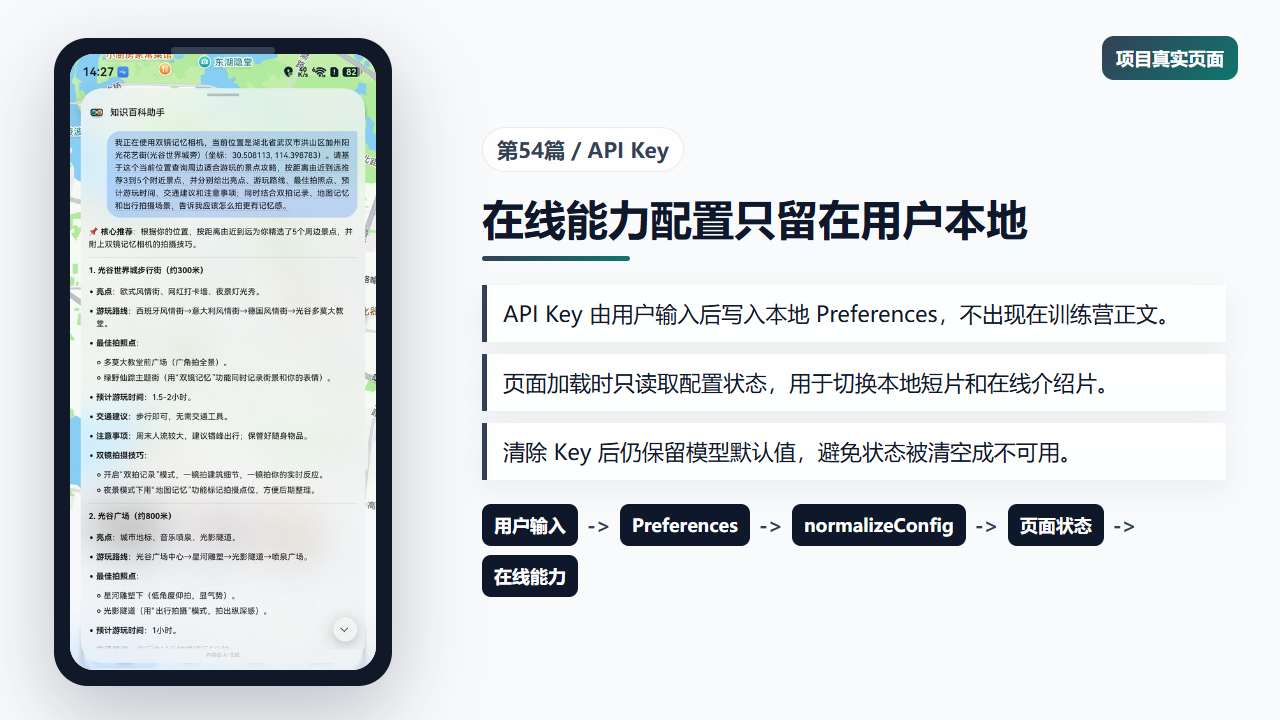
在线能力配置影响页面中的能力模式
二、服务层提供保存和清除入口
saveApiKey 和 clearApiKey 都先读取现有配置,再保留当前模型设置。这样用户只修改 Key,不会把 responseModel 和 videoModel 意外清掉。
清除 Key 后,项目仍可以回到本地短片能力,用户不会因为一次清理把整个功能区变成不可用。
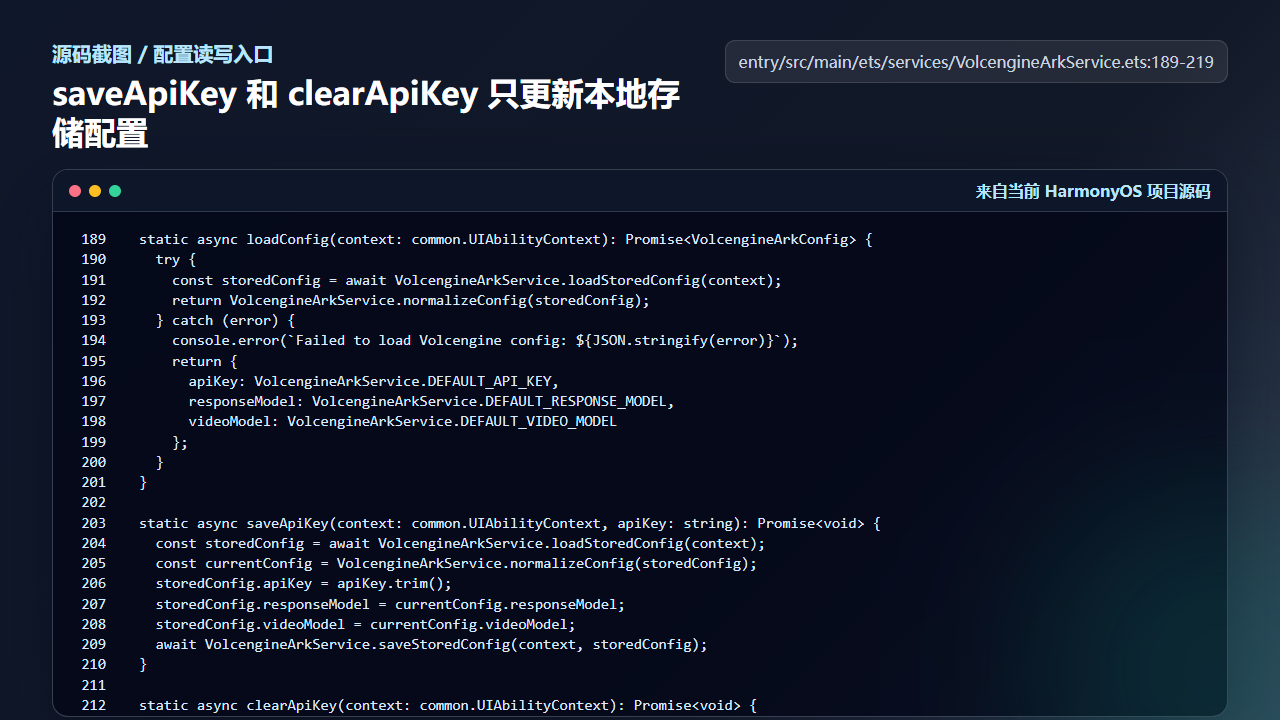
服务层保存和清除 API Key
  static async loadConfig(context: common.UIAbilityContext): Promise<VolcengineArkConfig> {
    try {
      const storedConfig = await VolcengineArkService.loadStoredConfig(context);
      return VolcengineArkService.normalizeConfig(storedConfig);
    } catch (error) {
      console.error(`Failed to load Volcengine config: ${JSON.stringify(error)}`);
      return {
        apiKey: VolcengineArkService.DEFAULT_API_KEY,
        responseModel: VolcengineArkService.DEFAULT_RESPONSE_MODEL,
        videoModel: VolcengineArkService.DEFAULT_VIDEO_MODEL
      };
    }
  }

  static async saveApiKey(context: common.UIAbilityContext, apiKey: string): Promise<void> {
    const storedConfig = await VolcengineArkService.loadStoredConfig(context);
    const currentConfig = VolcengineArkService.normalizeConfig(storedConfig);
    storedConfig.apiKey = apiKey.trim();
    storedConfig.responseModel = currentConfig.responseModel;
    storedConfig.videoModel = currentConfig.videoModel;
    await VolcengineArkService.saveStoredConfig(context, storedConfig);
  }

  static async clearApiKey(context: common.UIAbilityContext): Promise<void> {
    const storedConfig = await VolcengineArkService.loadStoredConfig(context);
    const currentConfig = VolcengineArkService.normalizeConfig(storedConfig);
    storedConfig.apiKey = '';
    storedConfig.responseModel = currentConfig.responseModel;
    storedConfig.videoModel = currentConfig.videoModel;
    await VolcengineArkService.saveStoredConfig(context, storedConfig);
  }
这段代码是配置入口,不负责 UI 文案。保存失败后的提示放在页面层处理,职责比较清晰。
三、页面加载配置后回填状态
loadVolcengineConfig 在页面进入时读取配置和上一次视频任务。Key 回填到 arkApiKey,任务 ID 和视频链接也回填到页面状态。
如果已有任务,页面会显示持久化任务状态并同步视频管理记录;如果只有 Key,则进入在线能力待命状态。
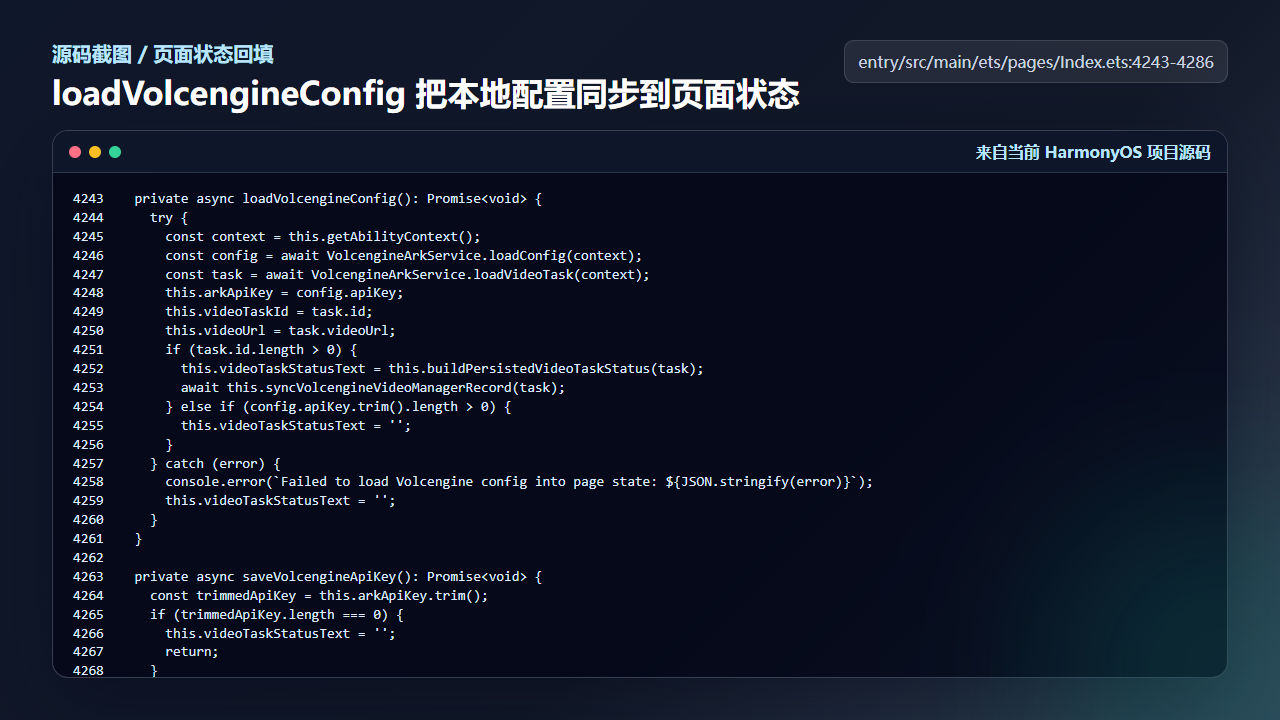
页面加载本地配置并同步视频任务状态
  private async loadVolcengineConfig(): Promise<void> {
    try {
      const context = this.getAbilityContext();
      const config = await VolcengineArkService.loadConfig(context);
      const task = await VolcengineArkService.loadVideoTask(context);
      this.arkApiKey = config.apiKey;
      this.videoTaskId = task.id;
      this.videoUrl = task.videoUrl;
      if (task.id.length > 0) {
        this.videoTaskStatusText = this.buildPersistedVideoTaskStatus(task);
        await this.syncVolcengineVideoManagerRecord(task);
      } else if (config.apiKey.trim().length > 0) {
        this.videoTaskStatusText = '';
      }
    } catch (error) {
      console.error(`Failed to load Volcengine config into page state: ${JSON.stringify(error)}`);
      this.videoTaskStatusText = '';
    }
  }

  private async saveVolcengineApiKey(): Promise<void> {
    const trimmedApiKey = this.arkApiKey.trim();
    if (trimmedApiKey.length === 0) {
      this.videoTaskStatusText = '';
      return;
    }

    try {
      await VolcengineArkService.saveApiKey(this.getAbilityContext(), trimmedApiKey);
      this.arkApiKey = trimmedApiKey;
      this.videoTaskStatusText = '';
      this.galleryNoticeText = '';
    } catch (error) {
      const err = error as BusinessError;
      this.videoTaskStatusText = `保存 ARK API Key 失败 ${err.code ?? -1}`;
    }
  }

  private async clearVolcengineApiKey(): Promise<void> {
    try {
      await VolcengineArkService.clearApiKey(this.getAbilityContext());
      this.arkApiKey = '';
      this.videoTaskStatusText = this.videoUrl.trim().length > 0
        ? ''
配置状态和任务状态放在一起加载,能让用户重启应用后继续看到上一次生成进度。
四、Preferences 是本地配置的落盘点
loadStoredConfig 和 saveStoredConfig 使用 preferences.getPreferences 读写 JSON 字符串。读取失败返回空配置,保存失败则抛出错误。
这里没有把配置写到文章、远端日志或公共文件。它是用户本机的运行配置,训练营讲解时只说明结构和流程,不展示真实凭证。
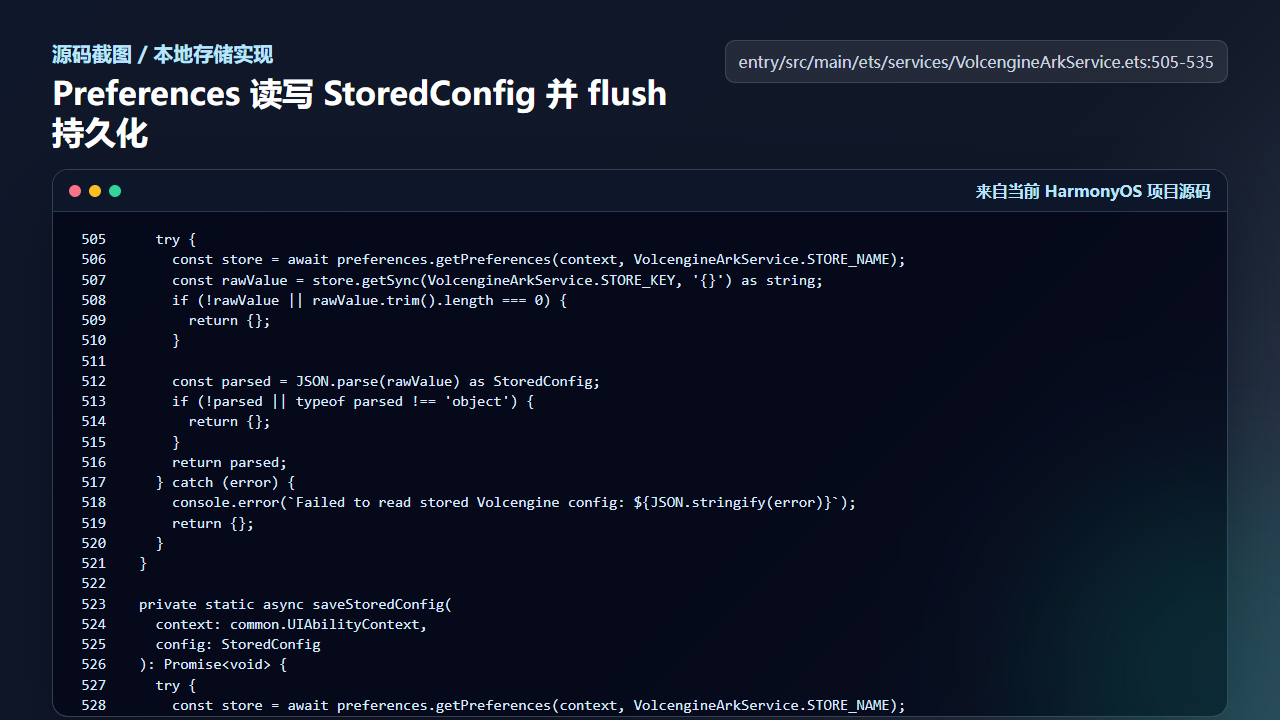
Preferences 负责 StoredConfig 的本地读写
    try {
      const store = await preferences.getPreferences(context, VolcengineArkService.STORE_NAME);
      const rawValue = store.getSync(VolcengineArkService.STORE_KEY, '{}') as string;
      if (!rawValue || rawValue.trim().length === 0) {
        return {};
      }

      const parsed = JSON.parse(rawValue) as StoredConfig;
      if (!parsed || typeof parsed !== 'object') {
        return {};
      }
      return parsed;
    } catch (error) {
      console.error(`Failed to read stored Volcengine config: ${JSON.stringify(error)}`);
      return {};
    }
  }

  private static async saveStoredConfig(
    context: common.UIAbilityContext,
    config: StoredConfig
  ): Promise<void> {
    try {
      const store = await preferences.getPreferences(context, VolcengineArkService.STORE_NAME);
      store.putSync(VolcengineArkService.STORE_KEY, JSON.stringify(config));
      await store.flush();
    } catch (error) {
      console.error(`Failed to persist Volcengine config: ${JSON.stringify(error)}`);
      const message = error instanceof Error ? error.message : JSON.stringify(error);
      throw new Error(`Failed to persist Volcengine config: ${message}`);
    }
后续如果要增强安全性,可以继续接入加密存储或凭证托管,但文章里的原则不变:真实 Key 不进正文,不进公开提交。
工程检查清单
- 文章正文不出现真实 API Key。
- 保存和清除 Key 时保留模型配置。
- 读取失败要返回可用默认配置。
- 页面状态从配置服务回填,不直接读 Preferences。
- 重启后能恢复上一次视频任务状态。
今日练习
- 在不填写真实 Key 的情况下阅读配置流程,画出服务层和页面层的数据流。
- 把
arkApiKey清空后观察getArkCapabilityModeText的返回值。 - 检查项目提交中是否存在真实凭证字符串。
训练营后面的文章会继续按“真实页面效果 -> 源码定位 -> 状态闭环 -> 可验证结果”的节奏推进。每一篇都尽量让你能拿着代码直接回到项目里复现,而不是只停留在概念说明。

讨论HarmonyOS开发技术,专注于API与组件、DevEco Studio、测试、元服务和应用上架分发等。
更多推荐


 8
8 0
0- 0


 已为社区贡献281条内容

所有评论(0)