第56篇|parseInsight:模型输出不稳定时如何兜底
第56篇|parseInsight:模型输出不稳定时如何兜底
第 56 篇专门讲解析。在线模型再强,也可能返回多余解释、代码块、字段缺失或技术响应。产品不能因为一次格式不稳定就把页面卡住,所以 parseInsight 必须有兜底。
项目的策略很清楚:先找 JSON 块,字段完整就用结构化结果;解析失败后净化文本,能用就截取成摘要;如果是技术响应或空响应,就生成本地兜底文案。
这一篇继续围绕 21 天「智能相机开发实战」训练营展开。阅读时可以先看界面效果,再顺着函数名回到 DevEco Studio 定位实现,最后把成功态、取消态和失败态串成一个可复现闭环。
本篇目标
- 掌握
parseInsight的 JSON 优先策略。 - 理解
extractResponseText如何兼容不同响应结构。 - 过滤代码块、技术响应和空文本。
- 保证 AI 失败时用户仍能得到可用文案。
对应源码位置
entry/src/main/ets/services/VolcengineArkService.ets
一、解析函数是 AI 能力的质量闸口
请求发出去只是第一步,真正影响用户体验的是结果能不能被产品稳定消费。parseInsight 就是这道闸口。
它不会盲信模型输出,而是先检查 JSON、再检查字段、最后兜底。这让页面层不用到处判断模型格式,拿到的始终是 VolcengineImageInsight。
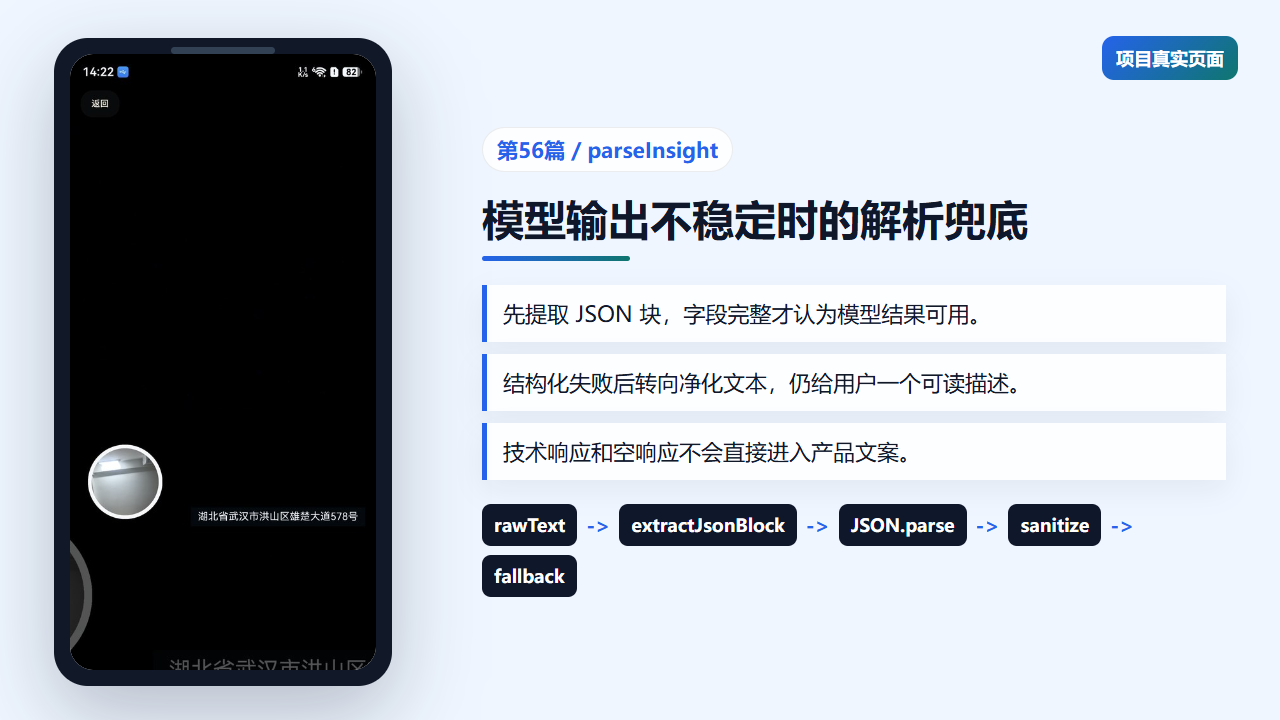
照片详情页依赖解析后的智能摘要字段
二、先提取 JSON 块,再校验字段
extractJsonBlock 通过首尾花括号找到 JSON 文本。parseInsight 尝试 JSON.parse 后,只有 aiCaption 和 videoPrompt 都存在时才返回结构化结果。
这避免了模型只返回一个字段、字段拼错或解释文字夹在外面时污染记录。
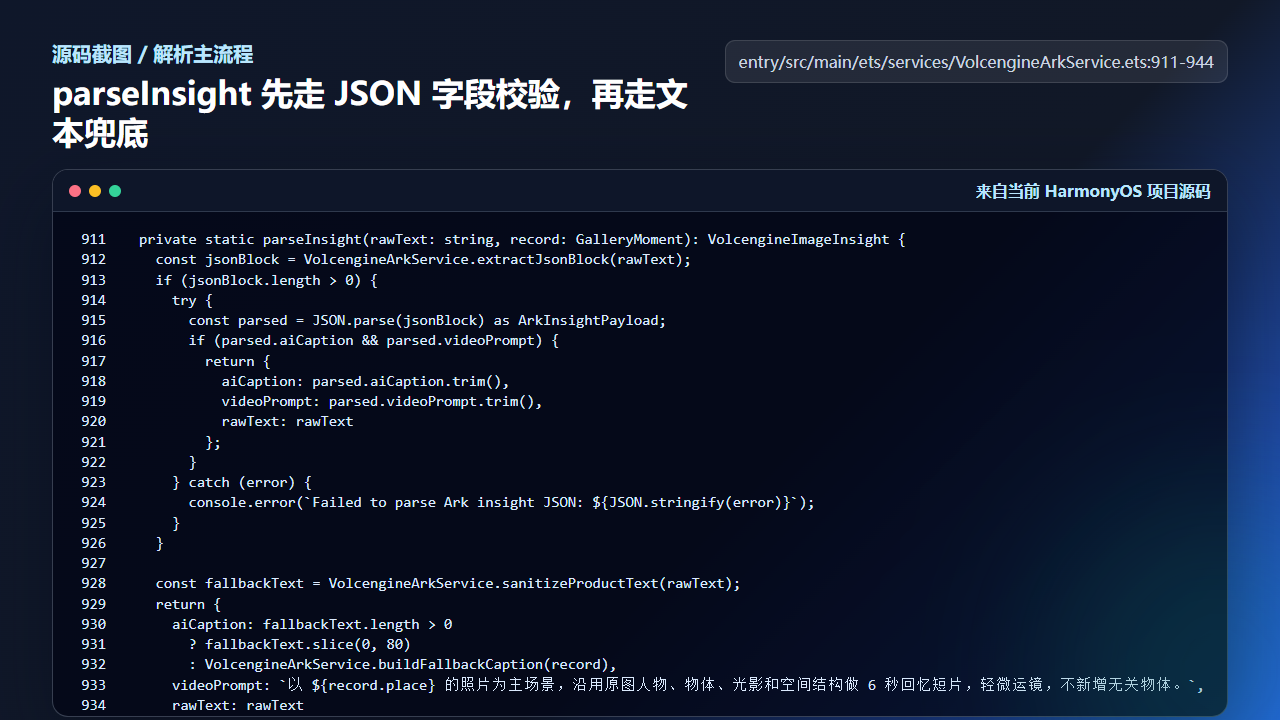
parseInsight 先走 JSON 字段校验
  private static parseInsight(rawText: string, record: GalleryMoment): VolcengineImageInsight {
    const jsonBlock = VolcengineArkService.extractJsonBlock(rawText);
    if (jsonBlock.length > 0) {
      try {
        const parsed = JSON.parse(jsonBlock) as ArkInsightPayload;
        if (parsed.aiCaption && parsed.videoPrompt) {
          return {
            aiCaption: parsed.aiCaption.trim(),
            videoPrompt: parsed.videoPrompt.trim(),
            rawText: rawText
          };
        }
      } catch (error) {
        console.error(`Failed to parse Ark insight JSON: ${JSON.stringify(error)}`);
      }
    }

    const fallbackText = VolcengineArkService.sanitizeProductText(rawText);
    return {
      aiCaption: fallbackText.length > 0
        ? fallbackText.slice(0, 80)
        : VolcengineArkService.buildFallbackCaption(record),
      videoPrompt: `以 ${record.place} 的照片为主场景,沿用原图人物、物体、光影和空间结构做 6 秒回忆短片,轻微运镜,不新增无关物体。`,
      rawText: rawText
    };
  }

  private static extractJsonBlock(rawText: string): string {
    const firstBrace = rawText.indexOf('{');
    const lastBrace = rawText.lastIndexOf('}');
    if (firstBrace < 0 || lastBrace <= firstBrace) {
      return '';
    }
    return rawText.substring(firstBrace, lastBrace + 1);
解析失败会打印错误,但不会直接把错误抛给页面。用户需要的是可恢复的体验,而不是看到 JSON 解析异常。
三、响应文本提取要兼容多种结构
有些响应直接提供 output_text,有些响应把文字放在 output[].content[].text。extractResponseText 把这些情况统一成一段字符串。
这层兼容能降低上游接口变动带来的影响。只要能提取到文字,后面的解析和兜底仍然可以继续。
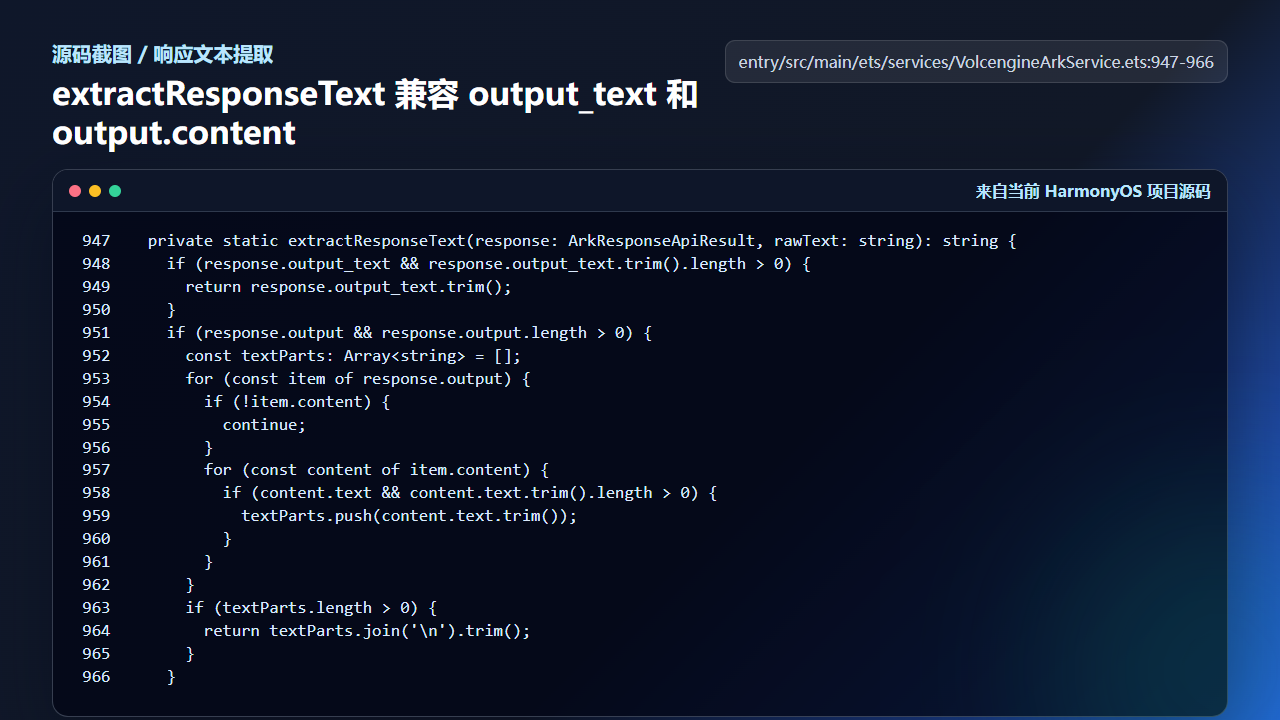
extractResponseText 兼容 output_text 和 output.content
  private static extractResponseText(response: ArkResponseApiResult, rawText: string): string {
    if (response.output_text && response.output_text.trim().length > 0) {
      return response.output_text.trim();
    }
    if (response.output && response.output.length > 0) {
      const textParts: Array<string> = [];
      for (const item of response.output) {
        if (!item.content) {
          continue;
        }
        for (const content of item.content) {
          if (content.text && content.text.trim().length > 0) {
            textParts.push(content.text.trim());
          }
        }
      }
      if (textParts.length > 0) {
        return textParts.join('\n').trim();
      }
    }
训练营写这类服务时,建议把“响应格式兼容”和“产品字段解析”拆开,否则后面会很难定位问题。
四、技术响应不能直接变成产品文案
sanitizeProductText 会去掉 markdown 代码块和多余空白,如果文本看起来像技术响应,就返回一段本地产品文案。
looksLikeTechnicalResponse 会识别 JSON 开头、模型字段、对象字段和响应 ID。这样用户不会在相册详情里看到一堆接口元数据。
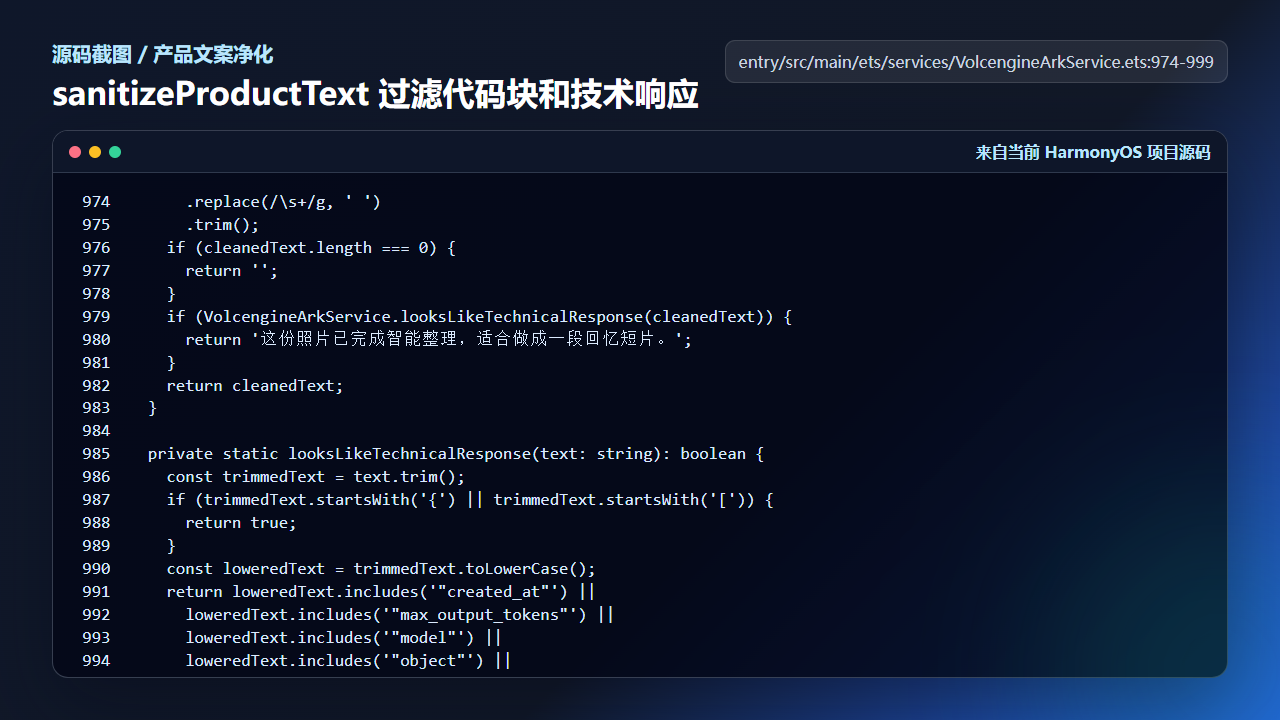
sanitizeProductText 过滤技术响应和代码块
      .replace(/\s+/g, ' ')
      .trim();
    if (cleanedText.length === 0) {
      return '';
    }
    if (VolcengineArkService.looksLikeTechnicalResponse(cleanedText)) {
      return '这份照片已完成智能整理,适合做成一段回忆短片。';
    }
    return cleanedText;
  }

  private static looksLikeTechnicalResponse(text: string): boolean {
    const trimmedText = text.trim();
    if (trimmedText.startsWith('{') || trimmedText.startsWith('[')) {
      return true;
    }
    const loweredText = trimmedText.toLowerCase();
    return loweredText.includes('"created_at"') ||
      loweredText.includes('"max_output_tokens"') ||
      loweredText.includes('"model"') ||
      loweredText.includes('"object"') ||
      loweredText.includes('resp_');
  }

  private static buildFallbackCaption(record: GalleryMoment): string {
    return `${record.place} 的照片已整理完成,画面保留了地点、光影和现场氛围。`;
兜底不是降低质量,而是保证产品在不确定输入下仍能交付明确输出。
五、解析结果最终要回到页面写回
parseInsight 的价值不止是返回一个对象,它还要服务页面写回。页面拿到 aiCaption 和 videoPrompt 后,会通过 buildAiReadyRecord 更新记录,再持久化到本地相册数据。也就是说,解析兜底的最终目标不是“让函数不报错”,而是让用户在详情页里仍然能看到可用摘要。
这也是 AI 能力落地时最容易忽略的一点:模型输出、解析函数、页面状态和本地记录必须连成闭环。只在控制台打印模型结果,对用户没有任何价值;只有写回 GalleryMoment,后续详情页、短片生成和分享才都能继续使用。
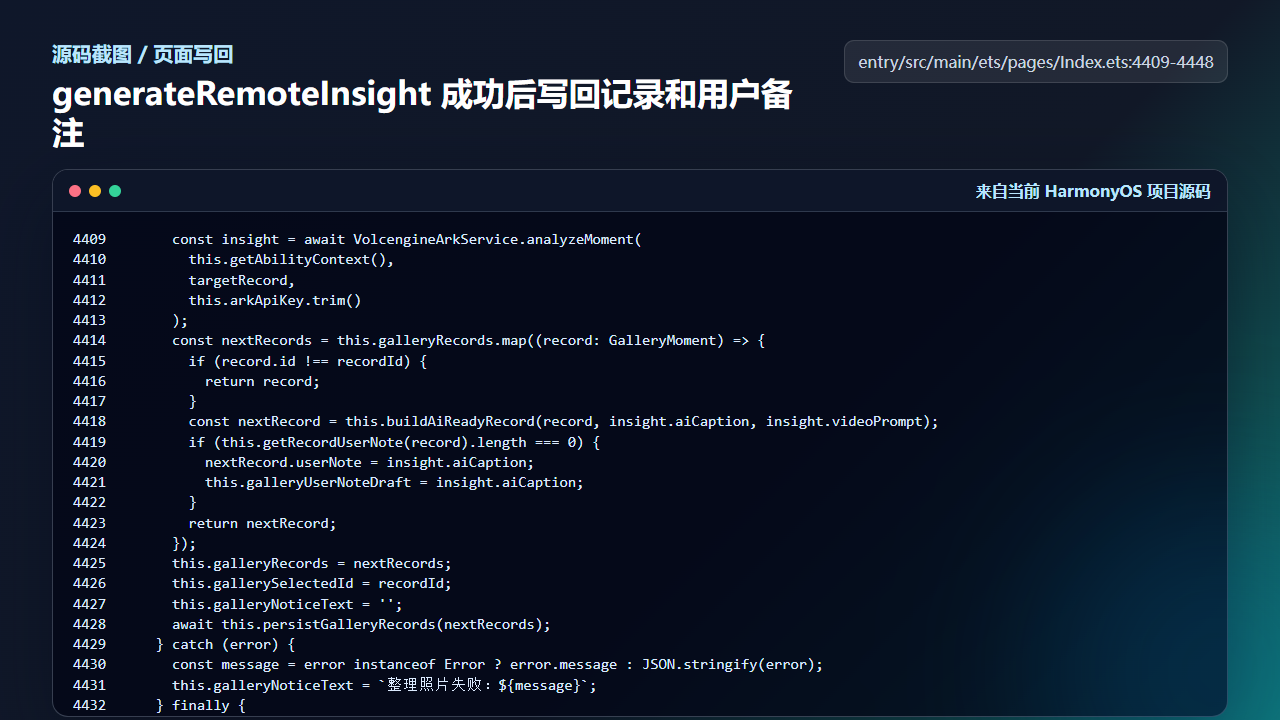
图像理解结果写回 GalleryMoment 后,详情页和短片任务都能复用
      const insight = await VolcengineArkService.analyzeMoment(
        this.getAbilityContext(),
        latestRecord,
        this.arkApiKey.trim()
      );
      nextRecords = nextRecords.map((record: GalleryMoment) => {
        if (record.id !== sourceRecord.id) {
          return record;
        }
        const nextRecord = this.buildAiReadyRecord(record, insight.aiCaption, insight.videoPrompt);
        if (this.getRecordUserNote(record).length === 0) {
          nextRecord.userNote = insight.aiCaption;
        }
        return nextRecord;
      });
这段页面写回逻辑反过来也说明了 parseInsight 的质量要求:aiCaption 必须适合直接显示给用户,videoPrompt 必须适合继续交给短片任务,而不是把原始接口响应塞进记录里。
工程检查清单
- 解析优先使用结构化 JSON。
- 字段缺失时不要写入半成品记录。
- 响应文本提取和业务解析分层。
- 技术响应不直接进入用户可见文案。
- 兜底文案要具体、短、可读。
今日练习
- 准备三段 rawText:标准 JSON、带代码块 JSON、纯技术响应,分别推演
parseInsight的输出。 - 把
aiCaption字段改成caption,观察为什么会走兜底。 - 为
looksLikeTechnicalResponse增加一个你认为需要拦截的关键词。
训练营后面的文章会继续按“真实页面效果 -> 源码定位 -> 状态闭环 -> 可验证结果”的节奏推进。每一篇都尽量让你能拿着代码直接回到项目里复现,而不是只停留在概念说明。

讨论HarmonyOS开发技术,专注于API与组件、DevEco Studio、测试、元服务和应用上架分发等。
更多推荐
 2
2 0
0- 0


 已为社区贡献281条内容

所有评论(0)