uniapp在鸿蒙中跳转页面
·
创建page1和page2
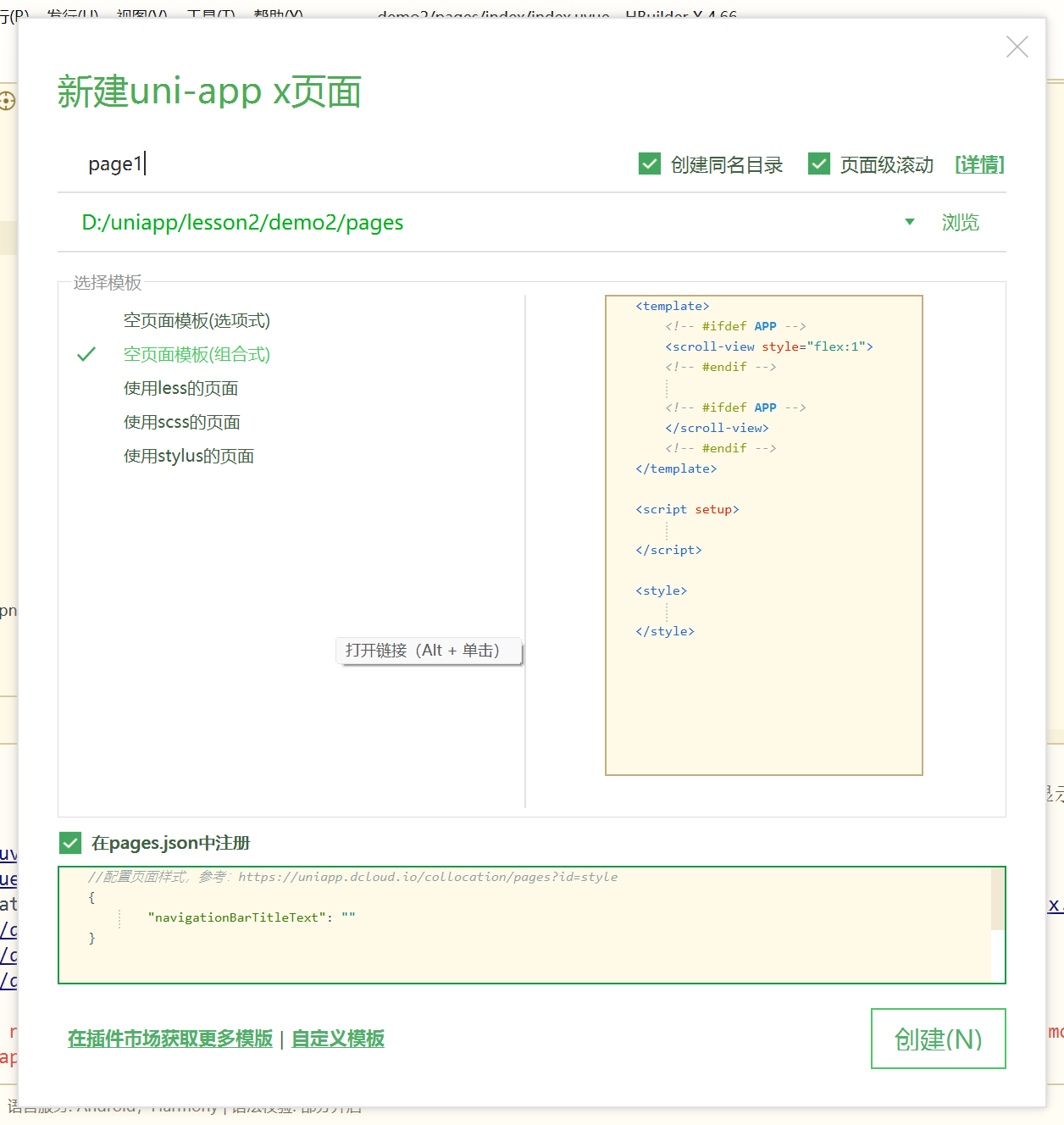
确保在pages.json文件中的pages属性下有这两个页面的索引
	"pages": [
		{
			"path" : "pages/page1/page1",
			"style" :
			{
				"navigationBarTitleText" : ""
			}
		},
		{
			"path" : "pages/page2/page2",
			"style" :
			{
				"navigationBarTitleText" : ""
			}
		}
	],
1.组件跳转实现page1跳转page2
navigator
该组件类似HTML中的<a>组件,但只能跳转本地页面,url是要跳转的页面索引,在pages.json里有对应页面的索引
page1代码
<template>
	<div>
		<!-- 组件跳转 -->
		<h1>我是page1页面</h1>
		<navigator url="/pages/page2/page2" hover-class="navigator-hover">
			<button type="default">跳转到新页面</button>
		</navigator>
	</div>
</template>

<script setup></script>

<style></style>
page2代码
<template>
 <div>
	 <h1>我是page2页面</h1>
 </div>
</template>

<script setup></script>

<style></style>
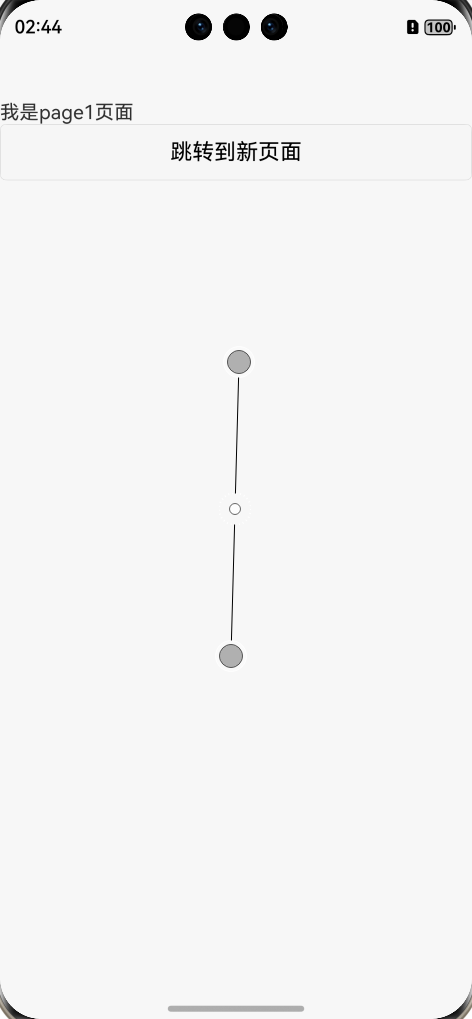
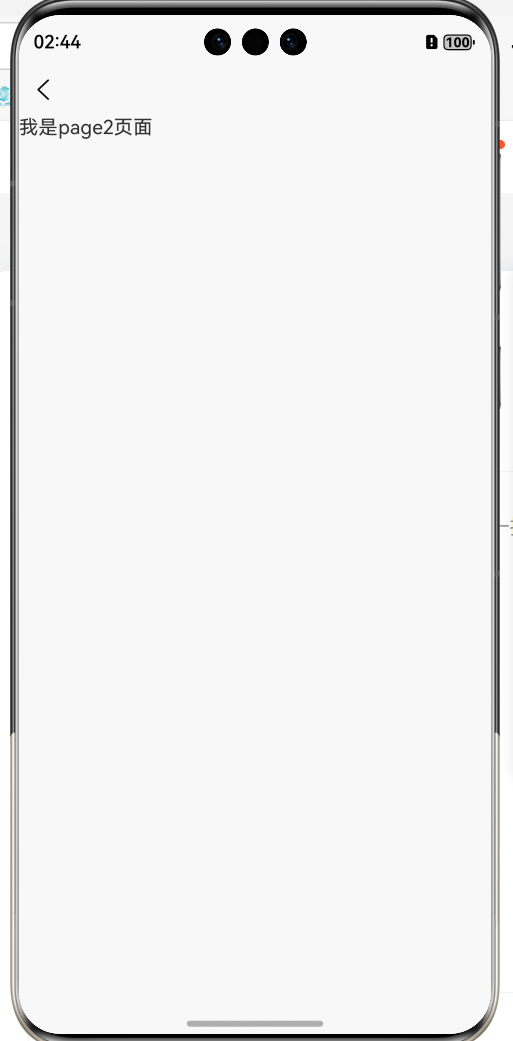
实现效果
下面是navigator的属性
| 属性名 | 类型 | 默认值 | 说明 | 平台差异说明 |
|---|---|---|---|---|
| url | String | 应用内的跳转链接,值为相对路径或绝对路径,如:"../first/first","/pages/first/first",注意不能加 .vue 后缀 | ||
| open-type | String | navigate | 跳转方式 | |
| delta | Number | 当 open-type 为 'navigateBack' 时有效,表示回退的层数 | ||
| animation-type | String | pop-in/out | 当 open-type 为 navigate、navigateBack 时有效,窗口的显示/关闭动画效果,详见:窗口动画 | App |
| animation-duration | Number | 300 | 当 open-type 为 navigate、navigateBack 时有效,窗口显示/关闭动画的持续时间。 | App |
| render-link | boolean | true | 是否给 navigator 组件加一层 a 标签控制 ssr 渲染 | web3.7.6+、App-vue3.7.6+ |
| hover-class | String | navigator-hover | 指定点击时的样式类,当hover-class="none"时,没有点击态效果 | |
| hover-stop-propagation | Boolean | false | 指定是否阻止本节点的祖先节点出现点击态 | 微信小程序 |
| hover-start-time | Number | 50 | 按住后多久出现点击态,单位毫秒 | |
| hover-stay-time | Number | 600 | 手指松开后点击态保留时间,单位毫秒 | |
| target | String | self | 在哪个小程序目标上发生跳转,默认当前小程序,值域self/miniProgram | 微信2.0.7+、百度2.5.2+、QQ |
open-type 有效值
| 值 | 说明 | 平台差异说明 |
|---|---|---|
| navigate | 对应 uni.navigateTo 的功能,保留当前页面,跳转到应用内的某个页面 | |
| redirect | 对应 uni.redirectTo 的功能,关闭当前页面,跳转到应用内的某个页面 | |
| switchTab | 对应 uni.switchTab 的功能,跳转到 tabBar 页面,并关闭其他所有非 tabBar 页面 | |
| reLaunch | 对应 uni.reLaunch 的功能,关闭所有页面,打开到应用内的某个页面 | 抖音小程序与飞书小程序不支持 |
| navigateBack | 对应 uni.navigateBack 的功能,关闭当前页面,返回上一页面或多级页面 | |
| exit | 退出小程序,target="miniProgram"时生效 | 微信2.1.0+、百度2.5.2+、QQ1.4.7+ |
2.api跳转(uni.navigateTo(对象))
保留当前页面,跳转到应用内的某个页面,使用uni.navigateBack可以返回到原页面。
page1代码
<template>
	<div>
		<!-- 组件跳转 -->
		<h1>我是page1页面</h1>
		<navigator url="/pages/page2/page2" hover-class="navigator-hover">
			<button type="default">跳转到新页面</button>
		</navigator>

		<button @click="gotopage2">使用uni.navigateTo方法api跳转</button>
	</div>
</template>

<script setup>
	const gotopage2=()=>{
		uni.navigateTo({
			url: "/pages/page2/page2"
		})
	}
</script>

<style></style>
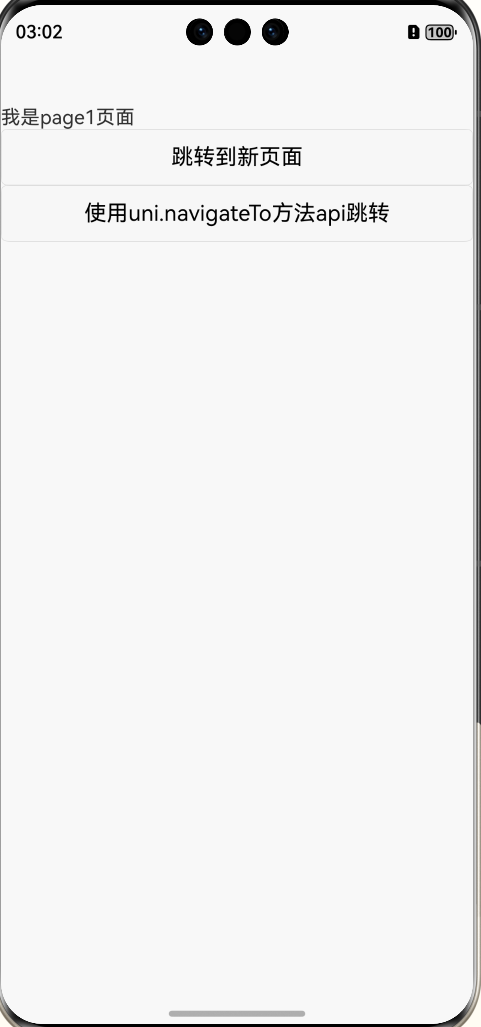
实现效果
对象参数
| 参数 | 类型 | 必填 | 默认值 | 说明 | 平台差异说明 |
|---|---|---|---|---|---|
| url | String | 是 | 需要跳转的应用内非 tabBar 的页面的路径 , 路径后可以带参数。参数与路径之间使用?分隔,参数键与参数值用=相连,不同参数用&分隔;如 'path?key=value&key2=value2',path为下一个页面的路径,下一个页面的onLoad函数可得到传递的参数 | ||
| animationType | String | 否 | pop-in | 窗口显示的动画效果,详见:窗口动画 | App |
| animationDuration | Number | 否 | 300 | 窗口动画持续时间,单位为 ms | App |
| events | Object | 否 | 页面间通信接口,用于监听被打开页面发送到当前页面的数据。2.8.9+ 开始支持。 | ||
| success | Function | 否 | 接口调用成功的回调函数 | ||
| fail | Function | 否 | 接口调用失败的回调函数 | ||
| complete | Function | 否 | 接口调用结束的回调函数(调用成功、失败都会执行) |
具体详情可看官方文档
组件跳转navigator | uni-app官网 https://uniapp.dcloud.net.cn/component/navigator.html
api跳转uni.navigateTo(OBJECT) | uni-app官网https://uniapp.dcloud.net.cn/api/router.html#navigateto

讨论HarmonyOS开发技术,专注于API与组件、DevEco Studio、测试、元服务和应用上架分发等。
更多推荐



 11
11 0
0- 0


 已为社区贡献2条内容

所有评论(0)