HarmonyOS应用开发实战:猫猫大作战-bindSheet 的底部弹出面板
·
前言
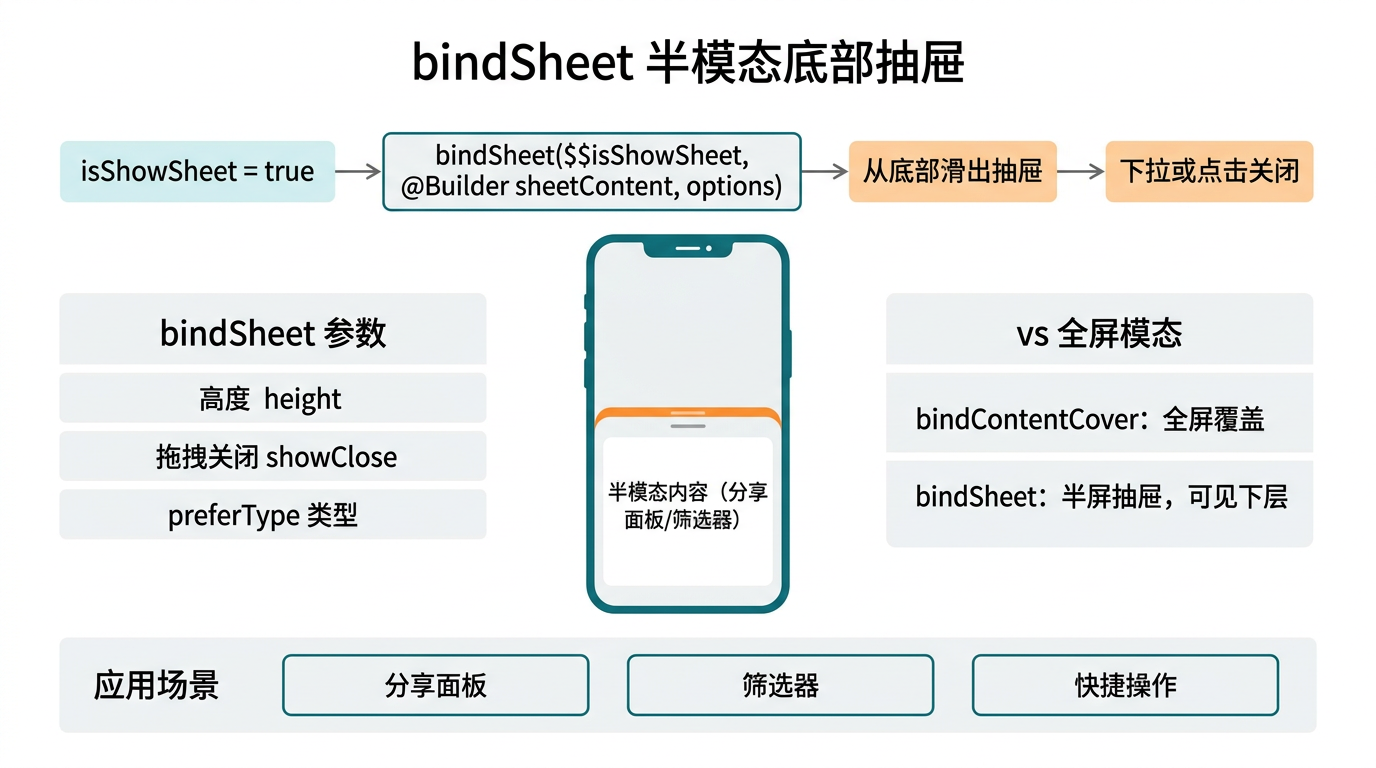
bindSheet 是 HarmonyOS 中从底部弹出的面板组件,适合展示游戏设置、战绩详情、好友列表等需要更多空间的内容。与 Popup 的小气泡不同,Sheet 占据屏幕下半部分,展示更多信息。
一、bindSheet 基础
@State showSheet: boolean = false;

Column() {
  Button('查看战绩详情')
    .onClick(() => { this.showSheet = true; })
}
.bindSheet(this.showSheet, this.ScoreDetailSheet(), {
  height: SheetSize.LARGE,
  backgroundColor: Color.White,
  showClose: true,
  onAppear: () => { console.info('面板已展开'); },
  onDisappear: () => { this.showSheet = false; },
})

@Builder
ScoreDetailSheet() {
  Column() {
    Text('📊 本局统计')
      .fontSize(20).fontWeight(FontWeight.Bold)
    // ... 统计内容
  }
  .padding(24)
}
二、Sheet 配置参数
| 参数 | 类型 | 说明 |
|---|---|---|
height |
SheetSize | LARGE / MEDIUM / SMALL |
backgroundColor |
Color | 面板背景色 |
showClose |
boolean | 是否显示关闭按钮 |
dragBar |
boolean | 是否显示拖拽条 |
onAppear |
() => void | 面板出现回调 |
onDisappear |
() => void | 面板消失回调 |
三、游戏中的应用
@State showFriendSheet: boolean = false;

// 好友列表面板
Button('👥 好友 (3)')
  .bindSheet(this.showFriendSheet, this.FriendSheet(), {
    height: SheetSize.MEDIUM,
    showClose: true,
    dragBar: true,
  })
  .onClick(() => { this.showFriendSheet = true; })

@Builder
FriendSheet() {
  Column() {
    Text('好友列表').fontSize(18).fontWeight(FontWeight.Bold)

    ForEach(this.friends, (friend) => {
      Row() {
        Text(friend.name).layoutWeight(1)
        Text(`${friend.score}`).fontColor('#E74C3C')
      }
      .padding(12)
    })

    Button('邀请好友').width('100%').margin({ top: 16 })
  }
  .padding(24).width('100%')
}
四、Sheet vs Popup vs Menu
| 组件 | 位置 | 内容量 | 场景 |
|---|---|---|---|
| bindSheet | 底部 | 多 | 详情、列表、设置 |
| bindPopup | 组件旁 | 少 | 提示、说明 |
| bindContextMenu | 触控点 | 中 | 操作菜单 |
五、最佳实践
- 内容较多时用 Sheet,一行说明用 Popup
- MEDIUM 高度最常用,LARGE 用于复杂表单
showClose设为 true,让用户能明确关闭dragBar拖拽条增强交互感知
总结
bindSheet 从底部弹出面板,适合展示好友列表、战绩详情等较多内容。核心要点:bindSheet(state, builder, config) 绑定、 SheetSize 控制高度、 showClose+dragBar 增强交互。
如果这篇文章对你有帮助,欢迎点赞👍、收藏⭐、关注🔔,你的支持是我持续创作的动力!
相关资源:

讨论HarmonyOS开发技术,专注于API与组件、DevEco Studio、测试、元服务和应用上架分发等。
更多推荐

 4
4 0
0- 0


 已为社区贡献72条内容

所有评论(0)