HarmonyOS应用<奇妙科学乐园>开发第70篇:深度链接与页面恢复——从通知/推送跳转
📖 引言
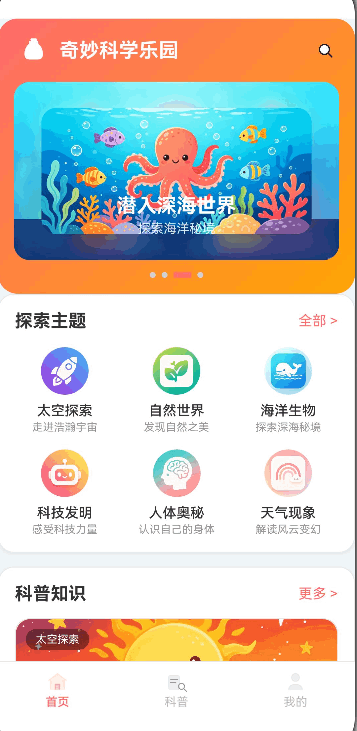
《奇妙科学乐园》作为一款面向6-12岁儿童的纯离线科普教育应用,虽然不需要处理复杂的云端推送跳转,但深度链接(Deep Link)与页面状态恢复在离线场景下同样重要。家长通过家长控制设置提醒后,系统通知点击应该能直接跳转到对应页面;用户从后台恢复应用时,页面应该保持之前的浏览状态;路由参数携带的topicId、categoryId等信息需要经过严格的校验才能安全使用。
本篇将从URI Scheme解析设计、路由参数校验与防护、页面状态恢复策略、从通知栏跳转的离线实现方案四个维度,结合项目中RouterUtil封装、RouteUrls常量管理和各页面的参数处理实践,全面解析HarmonyOS应用中的深度链接与页面恢复技术。
🎯 学习目标
完成本文后,你将能够:
- ✅ 掌握HarmonyOS路由参数的封装设计与统一管理
- ✅ 学会实现多层级的路由参数校验与类型安全
- ✅ 理解离线应用中页面状态保持与恢复的策略
- ✅ 掌握路由栈管理(pushUrl/replaceUrl/clear)的正确使用
- ✅ 学会设计"参数异常不崩溃、页面恢复不丢失"的健壮路由体系
- ✅ 了解从系统通知跳转到应用内页面的实现思路
💡 需求分析
深度链接场景规划
| 场景 | 触发方式 | 目标页面 | 携带参数 | 恢复需求 |
|---|---|---|---|---|
| 文章详情直达 | 通知/快捷方式 | TopicDetail | topicId | 恢复收藏状态 |
| 分类浏览跳转 | 首页分类卡片 | MainTabs(科普Tab) | categoryId, tabIndex | 恢复筛选状态 |
| 答题挑战启动 | 通知提醒 | Quiz | categoryId | 恢复答题进度 |
| 后台恢复 | 系统任务切换 | 任意页面 | 无 | 保持浏览位置 |
路由架构设计
外部触发(通知/快捷方式/系统恢复)
         │
    ┌────▼────┐
    │ URI     │  wonderscience://topic/123
    │ Scheme  │  wonderscience://category/space
    │ 解析    │  wonderscience://quiz?category=nature
    └────┬────┘
         │
    ┌────▼────────┐
    │ RouterUtil  │  pushUrl / replaceUrl / clearAndPush
    │ 统一路由    │  getParams / getStackLength / getState
    │ 封装        │  异常捕获 + 日志追踪
    └────┬────────┘
         │
    ┌────▼────────┐
    │ RouteUrls   │  集中管理所有路由地址常量
    │ 常量配置    │  避免硬编码字符串
    └────┬────────┘
         │
    ┌────▼────────┐
    │ 目标页面    │  aboutToAppear中获取参数
    │ 参数校验    │  空值防护 + 类型安全
    │ 状态恢复    │  条件渲染 + 降级展示
    └─────────────┘
🛠️ 核心实现
步骤1: 路由常量集中管理——RouteUrls
功能说明
在大型HarmonyOS应用中,路由地址散落在各处会导致维护困难。我们将所有路由地址集中到RouteUrls常量文件中,配合TypeScript接口定义参数类型,从源头杜绝路由地址拼写错误。
完整代码
// constants/RouteUrls.ets —— 路由地址常量集中管理

/**
 * 路由地址类型定义
 * 所有路由URL集中在此文件管理,禁止在业务代码中硬编码路由字符串
 */
export interface RouteUrlsType {
    MAIN_TABS: string;       // 主页面(底部Tab容器)
    TOPIC_DETAIL: string;    // 科普文章详情页
    QUIZ: string;            // 趣味问答页
    QUIZ_RESULT: string;     // 答题结果页
    FAVORITES: string;       // 我的收藏页
    HISTORY: string;         // 浏览历史页
    ACHIEVEMENT: string;     // 成就徽章页
    LAB: string;             // 科学实验室列表
    LAB_DETAIL: string;      // 实验详情页
    WRONG_QUIZ: string;      // 错题本页
    PARENT_CONTROL: string;  // 家长控制页
    DAILY_CHALLENGE: string; // 每日挑战页
    SETTINGS: string;        // 应用设置页
}

/**
 * 路由地址常量对象
 * 值与module.json5中pages配置保持一致
 */
export const RouteUrls: RouteUrlsType = {
    MAIN_TABS: 'pages/MainTabs',
    TOPIC_DETAIL: 'pages/TopicDetail',
    QUIZ: 'pages/Quiz',
    QUIZ_RESULT: 'pages/QuizResult',
    FAVORITES: 'pages/Favorites',
    HISTORY: 'pages/History',
    ACHIEVEMENT: 'pages/Achievement',
    LAB: 'pages/Lab',
    LAB_DETAIL: 'pages/LabDetail',
    WRONG_QUIZ: 'pages/WrongQuiz',
    PARENT_CONTROL: 'pages/ParentControl',
    DAILY_CHALLENGE: 'pages/DailyChallenge',
    SETTINGS: 'pages/Settings',
};
代码解析
1. 路由常量 vs 硬编码字符串
// ✅ 正确:使用RouteUrls常量,类型安全、IDE可跳转
const options: RouterOptions = { url: RouteUrls.TOPIC_DETAIL };
RouterUtil.pushUrl(options, 'Index');

// ❌ 错误:硬编码路由字符串,拼写错误无法在编译期发现
router.pushUrl({ url: 'pages/TopicDetial' });
//                                      ^^^^ 拼写错误,运行时页面找不到

// ✅ 正确:RouteUrls有TypeScript类型约束,新增路由时编译器会提醒补全
export const RouteUrls: RouteUrlsType = {
    MAIN_TABS: 'pages/MainTabs',
    // 如果漏写了TOPIC_DETAIL,TypeScript会报错
};
2. 与module.json5的对应关系
// entry/src/main/resources/base/profile/main_pages.json
{
    "src": [
        "pages/MainTabs",
        "pages/TopicDetail",
        "pages/Quiz",
        "pages/Lab",
        "pages/Settings",
        "pages/ParentControl"
        // ...所有页面都需要在此注册
    ]
}
步骤2: 路由工具封装——RouterUtil统一异常处理
功能说明
我们在项目中封装了RouterUtil工具类,对所有路由操作进行统一包装。每次跳转都携带来源标记(from参数),便于日志追踪和问题排查。所有路由操作都被try-catch包裹,确保异常不会导致应用崩溃。
完整代码
// utils/RouterUtil.ets —— 统一路由跳转封装

import router from '@ohos.router';
import { Logger } from './Logger';

const TAG = 'RouterUtil';

/**
 * 路由参数类型定义
 * 所有页面间传递的参数都应在此定义类型
 */
export interface RouterParams {
    topicId?: number;     // 文章ID
    tabIndex?: number;    // Tab页索引
    categoryId?: string;  // 分类ID
    labId?: string;       // 实验ID
}

/**
 * 路由选项类型定义
 */
export interface RouterOptions {
    url: string;              // 目标页面路由地址
    params?: RouterParams;    // 路由参数
}

export class RouterUtil {
    /**
     * 跳转到指定页面(压入页面栈)
     * 适用于普通的"前进"导航
     * @param options 路由选项(URL + 参数)
     * @param from 来源页面标记,用于日志追踪
     */
    static async pushUrl(options: RouterOptions, from: string = ''): Promise<void> {
        try {
            Logger.info(TAG,
                `${from ? `[${from}] ` : ''}pushUrl: ${options.url}`);
            await router.pushUrl(options);
        } catch (error) {
            Logger.error(TAG,
                `${from ? `[${from}] ` : ''}pushUrl failed: ${options.url}`, error);
        }
    }

    /**
     * 替换当前页面(不压栈)
     * 适用于"替换"场景,如登录页→主页、异常页→主页
     * @param options 路由选项
     * @param from 来源页面标记
     */
    static async replaceUrl(options: RouterOptions, from: string = ''): Promise<void> {
        try {
            Logger.info(TAG,
                `${from ? `[${from}] ` : ''}replaceUrl: ${options.url}`);
            await router.replaceUrl(options);
        } catch (error) {
            Logger.error(TAG,
                `${from ? `[${from}] ` : ''}replaceUrl failed: ${options.url}`, error);
        }
    }

    /**
     * 返回上一页
     * @param from 来源页面标记
     */
    static async back(from: string = ''): Promise<void> {
        try {
            Logger.info(TAG, `${from ? `[${from}] ` : ''}back`);
            router.back();
        } catch (error) {
            Logger.error(TAG, `${from ? `[${from}] ` : ''}back failed`, error);
        }
    }

    /**
     * 获取路由参数
     * 异常时返回空对象,确保调用方不会因null/undefined崩溃
     * @returns 路由参数对象
     */
    static getParams(): RouterParams {
        try {
            const params = router.getParams() as RouterParams;
            return params;
        } catch (error) {
            Logger.error(TAG, 'getParams failed', error);
            // ✅ 异常时返回空对象,而非null
            const emptyParams: RouterParams = {};
            return emptyParams;
        }
    }

    /**
     * 获取路由栈长度
     * 可用于判断页面栈深度,防止栈溢出
     * @returns 路由栈中的页面数量
     */
    static getStackLength(): number {
        try {
            const len = router.getLength();
            return Number(len) || 0;
        } catch (error) {
            Logger.error(TAG, 'getStackLength failed', error);
            return 0;
        }
    }

    /**
     * 获取当前路由状态
     * @returns 路由状态对象(包含name、path、params等)
     */
    static getState(): router.RouterState | null {
        try {
            return router.getState();
        } catch (error) {
            Logger.error(TAG, 'getState failed', error);
            return null;
        }
    }

    /**
     * 清空路由栈并跳转到指定页面
     * 适用于"重置"场景,如退出登录→登录页、清除历史→主页
     * @param url 目标页面URL
     * @param from 来源页面标记
     */
    static async clearAndPush(url: string, from: string = ''): Promise<void> {
        try {
            Logger.info(TAG,
                `${from ? `[${from}] ` : ''}clearAndPush: ${url}`);
            router.clear();
            const pushOptions: RouterOptions = { url: url };
            await router.pushUrl(pushOptions);
        } catch (error) {
            Logger.error(TAG,
                `${from ? `[${from}] ` : ''}clearAndPush failed: ${url}`, error);
        }
    }
}
代码解析
1. 三种路由模式的对比
// ✅ pushUrl:压栈跳转(保留来源页面,用户可返回)
// 适用场景:列表→详情、首页→子页面
RouterUtil.pushUrl({ url: RouteUrls.TOPIC_DETAIL, params: { topicId: 1 } }, 'Index');

// ✅ replaceUrl:替换跳转(销毁当前页面,用户返回到更上层)
// 适用场景:登录成功→主页、异常页面→主页
RouterUtil.replaceUrl({ url: RouteUrls.MAIN_TABS }, 'TopicDetail');

// ✅ clearAndPush:清空栈并跳转(清除所有历史页面)
// 适用场景:退出登录→登录页、版本更新→欢迎页
RouterUtil.clearAndPush(RouteUrls.MAIN_TABS, 'Quiz');
2. 日志追踪的from参数设计
// ✅ 每个页面调用RouterUtil时都传入来源标记
// 日志输出示例:
// [Index] pushUrl: pages/TopicDetail
// [Topics] pushUrl: pages/TopicDetail
// [Quiz] replaceUrl: pages/MainTabs
// 便于快速定位"谁发起了这次跳转"
RouterUtil.pushUrl(options, 'Index');
RouterUtil.pushUrl(options, 'Topics');
RouterUtil.replaceUrl({ url: RouteUrls.MAIN_TABS }, 'Quiz');

// ❌ 错误:不传from参数,日志中无法区分跳转来源
RouterUtil.pushUrl(options);
// 日志输出:pushUrl: pages/TopicDetail(哪个页面跳的?不知道)
步骤3: 页面参数校验——多层防护确保安全
功能说明
当通过深度链接或路由参数跳转到目标页面时,参数可能为空、类型错误或指向不存在的数据。我们在页面级的aboutToAppear中构建三层校验:参数存在性校验、类型安全转换、数据有效性验证。
完整代码
// pages/TopicDetail.ets —— 文章详情页的三层参数校验

@Entry
@Component
struct TopicDetail {
    @State topic: Topic | null = null;
    @State isFavorite: boolean = false;

    aboutToAppear() {
        // ✅ 第一层:获取路由参数(RouterUtil内部已有try-catch)
        const params = RouterUtil.getParams() as Record<string, Object>;

        // ✅ 第二层:校验参数存在性
        if (params && params.topicId) {
            const topicId = params.topicId as number;

            // ✅ 第三层:查询数据并校验有效性
            const foundTopic = scienceData.getTopicById(topicId);
            if (foundTopic) {
                // 数据有效,初始化页面状态
                this.topic = foundTopic;
                this.isFavorite = userPrefs.isFavoriteSync(topicId);
                this.recordRead(foundTopic);
            }
            // foundTopic为undefined → this.topic保持null → 显示"文章不存在"
        }
        // params为空或无topicId → this.topic保持null → 显示"文章不存在"
    }

    build() {
        Column() {
            if (this.topic) {
                // ✅ 正常渲染:topic有效,展示完整详情内容
                this.TopicDetailContent();
            } else {
                // ✅ 降级渲染:topic为null,显示友好错误页面
                this.EmptyTopicView();
            }
        }
    }

    @Builder
    TopicDetailContent() {
        // Hero图片区、文章标题、动画演示、你知道吗卡片...
        Stack({ alignContent: Alignment.Top }) {
            Image(this.getHeroImage())
                .width('100%')
                .aspectRatio(16 / 9)
                .objectFit(ImageFit.Cover);
        }
        Scroll() {
            Column() {
                Text(this.topic!.title)
                    .fontSize(22)
                    .fontWeight(FontWeight.Bold);
                // ...更多内容
            }
        }
    }

    @Builder
    EmptyTopicView() {
        // ✅ 参数异常时的友好降级页面
        Column() {
            Image($r('app.media.icon_empty'))
                .width(48)
                .height(48)
                .margin({ bottom: 12 });
            Text('文章不存在')
                .fontSize(15)
                .fontColor(ThemeColors.TEXT_SECONDARY)
                .margin({ bottom: 16 });
            Button('返回首页')
                .type(ButtonType.Capsule)
                .height(36)
                .backgroundColor(ThemeColors.PRIMARY)
                .onClick(() => {
                    // ✅ 使用replaceUrl避免用户再次返回到此空页面
                    RouterUtil.replaceUrl(
                        { url: RouteUrls.MAIN_TABS }, 'TopicDetail'
                    );
                });
        }
        .width('100%')
        .height('100%')
        .justifyContent(FlexAlign.Center);
    }
}
// pages/MainTabs.ets —— Tab容器的参数校验

@Entry
@Component
struct MainTabs {
    @State currentIndex: number = 0;
    @State topicsCategory: string = 'all';

    aboutToAppear() {
        // 数据初始化兜底
        if (!scienceData.getIsInitialized()) {
            try {
                const ctx = getContext(this);
                scienceData.init(ctx);
                userPrefs.init(ctx);
                quizEngine.init(ctx);
                achievementManager.init(ctx);
            } catch (err) {
                Logger.error('MainTabs', 'Previewer环境数据初始化失败', err as Error);
            }
        }

        // ✅ 校验路由参数并恢复状态
        const params = RouterUtil.getParams() as Record<string, Object>;
        if (params) {
            // 校验tabIndex:确保是有效数字且在范围内
            if (params.tabIndex !== undefined) {
                const tabIndex = params.tabIndex as number;
                // ✅ 边界校验:tabIndex必须在0~2之间
                if (tabIndex >= 0 && tabIndex <= 2) {
                    this.currentIndex = tabIndex;
                    this.tabsController.changeIndex(this.currentIndex);
                }
            }
            // 校验categoryId:确保是有效字符串
            if (params.categoryId) {
                const categoryId = params.categoryId as string;
                // ✅ 类型校验:确保是字符串类型
                if (typeof categoryId === 'string' && categoryId.length > 0) {
                    this.topicsCategory = categoryId;
                }
            }
        }
    }
}
// pages/Quiz.ets —— 问答页面的参数校验

@Entry
@Component
struct Quiz {
    @State currentCategory: string = 'all';

    aboutToAppear() {
        const params = RouterUtil.getParams() as Record<string, Object>;
        // ✅ 校验分类参数:仅在参数有效时使用
        if (params && params.categoryId) {
            const categoryId = params.categoryId as string;
            // ✅ 校验分类ID是否在有效分类列表中
            const validCategories = scienceData.getAllCategories()
                .map(c => c.id);
            if (validCategories.includes(categoryId)) {
                this.currentCategory = categoryId;
            }
        }
        this.categories = scienceData.getAllCategories();
    }
}
代码解析
1. 参数校验的三层模型
// 第1层:获取参数时防护(RouterUtil内部)
const params = RouterUtil.getParams();  // 内部try-catch,异常返回{}

// 第2层:参数存在性校验(页面级)
if (params && params.topicId) { ... }

// 第3层:数据有效性校验(业务级)
const foundTopic = scienceData.getTopicById(topicId);
if (foundTopic) { ... }
// 或
if (tabIndex >= 0 && tabIndex <= 2) { ... }
2. 降级页面的设计原则
// ✅ 正确:参数异常时显示友好提示 + 提供返回操作
Column() {
    Image($r('app.media.icon_empty')).width(48);
    Text('文章不存在');
    Button('返回首页')
        .onClick(() => {
            RouterUtil.replaceUrl({ url: RouteUrls.MAIN_TABS }, 'TopicDetail');
        });
}

// ❌ 错误:参数异常时白屏,用户不知道发生了什么
aboutToAppear() {
    const params = RouterUtil.getParams();
    const topicId = params.topicId as number;  // ❌ params可能为null
    this.topic = scienceData.getTopicById(topicId);  // ❌ topicId可能是undefined
}
// build()中直接使用this.topic.title → 崩溃!
步骤4: 页面状态恢复——离线应用的保活策略
功能说明
作为纯离线应用,《奇妙科学乐园》的页面状态恢复主要关注两个场景:一是从系统后台切回前台时保持用户之前的浏览状态,二是Tab页切换时不丢失已加载的数据。我们利用Tabs组件的保活特性和@State状态管理来实现。
完整代码
// pages/MainTabs.ets —— Tab页面保活策略

@Entry
@Component
struct MainTabs {
    @State currentIndex: number = 0;
    @State topicsCategory: string = 'all';

    // ✅ @StorageLink监听外部Tab切换指令
    @StorageLink('switchToTab') @Watch('onTabSwitch')
    switchToTab: string = '';
    @StorageLink('topicsCategory') @Watch('onCategoryChange')
    storageTopicsCategory: string = 'all';

    private tabsController: TabsController = new TabsController();

    /**
     * 监听AppStorage中Tab切换指令并恢复目标状态
     * 此方法在从后台恢复或被其他页面触发时都会执行
     */
    onTabSwitch(): void {
        if (this.switchToTab === 'topics') {
            this.currentIndex = 1;
            this.tabsController.changeIndex(1);
            // ✅ 恢复分类筛选状态
            if (this.storageTopicsCategory
                && this.storageTopicsCategory !== '') {
                this.topicsCategory = this.storageTopicsCategory;
            }
            // ✅ 清除指令,避免重复触发
            AppStorage.setOrCreate<string>('switchToTab', '');
            AppStorage.setOrCreate<string>('topicsCategory', 'all');
        }
    }

    build() {
        Column() {
            // ✅ Tabs组件默认保活所有TabContent
            // 切换Tab时不会销毁和重建子组件
            // Index、Topics、Profile的状态会自动保持
            Tabs({ barPosition: BarPosition.End, controller: this.tabsController }) {
                TabContent() {
                    Index();  // 首页状态保持:滚动位置、已加载数据
                }

                TabContent() {
                    Topics({ initialCategory: this.topicsCategory });
                    // 科普列表状态保持:当前分类、搜索关键词、列表位置
                }

                TabContent() {
                    Profile();  // 个人中心状态保持:统计数据、成就列表
                }
            }
            .barHeight(0)
            .onChange((index: number) => {
                this.currentIndex = index;
            })
            .layoutWeight(1);

            this.CustomTabBar();
        }
    }
}
// pages/Topics.ets —— 科普列表页面的搜索与分类状态保持

@Component
export struct Topics {
    @Prop initialCategory: string = 'all';
    @State currentCategory: string = 'all';
    @State searchKeyword: string = '';  // ✅ 搜索关键词保持
    @State topicList: Topic[] = [];    // ✅ 列表数据保持

    /**
     * aboutToUpdate确保外部传入的分类变化能被正确响应
     * 同时不会覆盖用户在页面内的手动操作
     */
    aboutToUpdate() {
        // ✅ 仅在外部分类变化且用户未在搜索时才更新
        if (this.initialCategory
            && this.initialCategory !== this.currentCategory
            && this.searchKeyword === '') {
            this.currentCategory = this.initialCategory;
            if (scienceData.getIsInitialized()) {
                this.loadTopics();
            }
        }
    }

    /**
     * 用户手动搜索
     * 搜索状态保存在组件的@State中,Tab切换后自动恢复
     */
    loadTopics() {
        if (this.searchKeyword && this.searchKeyword.trim() !== '') {
            this.topicList = scienceData.searchTopics(this.searchKeyword);
        } else {
            this.topicList = scienceData.getTopicsByCategory(this.currentCategory);
        }
        this.topicDataSource.setData(this.topicList);
    }
}
代码解析
1. Tabs组件的保活机制
// ✅ Tabs组件默认保活所有TabContent的内容
// 用户从"科普"切换到"首页"再切回来,Topics组件不会被销毁
// searchKeyword、currentCategory、topicList等@State全部保持

Tabs() {
    TabContent() { Index(); }
    TabContent() { Topics({ initialCategory: this.topicsCategory }); }
    TabContent() { Profile(); }
}

// ❌ 如果使用if-else条件渲染替代Tabs,页面切换会销毁重建
if (this.currentIndex === 0) {
    Index();  // 切走后销毁,切回来重建
} else if (this.currentIndex === 1) {
    Topics({ initialCategory: this.topicsCategory });
}
// 用户的搜索关键词、滚动位置全部丢失
2. 页面栈中的状态保持
// ✅ pushUrl压栈跳转,源页面保持状态
// 用户从Topics → TopicDetail → 返回Topics
// Topics页面的滚动位置、筛选条件、搜索关键词都保持不变
goToTopicDetail(topic: Topic): void {
    const params: RouterParams = { topicId: topic.id };
    const options: RouterOptions = {
        url: RouteUrls.TOPIC_DETAIL,
        params: params
    };
    RouterUtil.pushUrl(options, 'Topics');
}

// ❌ replaceUrl替换跳转,源页面被销毁
// 用户从Topics → TopicDetail(replace)→ 返回
// 返回到Topics的上一个页面(如MainTabs),不是Topics本身
步骤5: 离线场景下的通知跳转设计
功能说明
虽然《奇妙科学乐园》是纯离线应用,但系统级通知(如每日学习提醒)仍然可以通过PendingWant携带URI参数,在用户点击通知时跳转到指定页面。我们设计了一套基于路由参数的离线跳转方案。
完整代码
// utils/DeepLinkUtil.ets —— 深度链接工具(设计方案)

import { RouteUrls } from '../constants/RouteUrls';
import { RouterUtil, RouterParams, RouterOptions } from './RouterUtil';
import { Logger } from './Logger';

const TAG = 'DeepLinkUtil';

/**
 * 深度链接路径枚举
 * 定义所有支持的深度链接路径及其对应的路由映射
 */
const DEEP_LINK_ROUTES: Record<string, string> = {
    'topic': RouteUrls.TOPIC_DETAIL,     // wonderscience://topic/123
    'quiz': RouteUrls.QUIZ,              // wonderscience://quiz?category=nature
    'lab': RouteUrls.LAB,                // wonderscience://lab
    'daily': RouteUrls.DAILY_CHALLENGE,  // wonderscience://daily
};

/**
 * 解析深度链接URI并跳转到目标页面
 * @param uri - 深度链接URI字符串
 * @returns 是否成功解析并跳转
 */
export function handleDeepLink(uri: string): boolean {
    try {
        Logger.info(TAG, `处理深度链接: ${uri}`);

        // ✅ 第一步:解析URI,提取路径和参数
        const parsed = parseUri(uri);
        if (!parsed) {
            Logger.error(TAG, 'URI解析失败');
            return false;
        }

        // ✅ 第二步:匹配路由路径
        const targetUrl = DEEP_LINK_ROUTES[parsed.path];
        if (!targetUrl) {
            Logger.error(TAG, `不支持的深度链接路径: ${parsed.path}`);
            return false;
        }

        // ✅ 第三步:构建路由参数
        const params: RouterParams = {};
        if (parsed.path === 'topic' && parsed.id) {
            // 校验topicId是否为有效数字
            const topicId = parseInt(parsed.id);
            if (!isNaN(topicId) && topicId > 0) {
                params.topicId = topicId;
            } else {
                Logger.error(TAG, `无效的topicId: ${parsed.id}`);
                return false;
            }
        }
        if (parsed.path === 'quiz' && parsed.queryParams?.category) {
            params.categoryId = parsed.queryParams.category;
        }

        // ✅ 第四步:执行跳转
        const options: RouterOptions = { url: targetUrl, params: params };
        RouterUtil.pushUrl(options, 'DeepLink');
        Logger.info(TAG, `深度链接跳转成功: ${targetUrl}`);
        return true;
    } catch (error) {
        Logger.error(TAG, '处理深度链接异常', error as Error);
        return false;
    }
}

/**
 * 解析URI字符串
 * @param uri - 如 "wonderscience://topic/123" 或 "wonderscience://quiz?category=nature"
 * @returns 解析结果
 */
function parseUri(uri: string): ParsedUri | null {
    // 移除scheme部分
    const withoutScheme = uri.replace(/^wonderscience:\/\//, '');
    if (!withoutScheme) return null;

    // 分离路径和查询参数
    const [pathPart, queryPart] = withoutScheme.split('?');
    const segments = pathPart.split('/');
    const path = segments[0] || '';
    const id = segments[1] || '';

    // 解析查询参数
    const queryParams: Record<string, string> = {};
    if (queryPart) {
        queryPart.split('&').forEach(pair => {
            const [key, value] = pair.split('=');
            if (key && value) {
                queryParams[key] = decodeURIComponent(value);
            }
        });
    }

    return { path, id, queryParams };
}

interface ParsedUri {
    path: string;
    id: string;
    queryParams: Record<string, string>;
}
代码解析
1. URI解析的安全设计
// ✅ 正确:多层校验,异常时返回null,不崩溃
function parseUri(uri: string): ParsedUri | null {
    const withoutScheme = uri.replace(/^wonderscience:\/\//, '');
    if (!withoutScheme) return null;  // ✅ 空URI防护

    const [pathPart, queryPart] = withoutScheme.split('?');
    const segments = pathPart.split('/');
    const path = segments[0] || '';
    const id = segments[1] || '';

    // ✅ 查询参数解码时使用decodeURIComponent
    // 处理中文参数:wonderscience://quiz?category=太空探索
    const queryParams: Record<string, string> = {};
    if (queryPart) {
        queryPart.split('&').forEach(pair => {
            const [key, value] = pair.split('=');
            if (key && value) {
                queryParams[key] = decodeURIComponent(value);
            }
        });
    }
    return { path, id, queryParams };
}

// ❌ 错误:不处理异常URI,直接访问数组索引
const segments = uri.split('/')[2];  // ❌ URI格式不对时越界崩溃
const id = parseInt(segments);       // ❌ NaN后续逻辑全错
2. module.json5中的URI配置
// module.json5 —— 声明应用支持的URI Scheme
{
    "module": {
        "abilities": [
            {
                "name": "EntryAbility",
                "skills": [
                    {
                        "entities": ["entity.system.home"],
                        "actions": ["action.system.home"],
                        "uris": [
                            {
                                "scheme": "wonderscience",
                                "host": "topic",
                                "path": "/"
                            },
                            {
                                "scheme": "wonderscience",
                                "host": "quiz"
                            }
                        ]
                    }
                ]
            }
        ]
    }
}
📋 最佳实践
实践1: 路由参数校验的"四步法"
// ✅ 标准的页面参数校验流程
aboutToAppear() {
    // 第1步:安全获取参数(try-catch + 空对象兜底)
    const params = RouterUtil.getParams();

    // 第2步:校验参数存在性
    if (params && params.topicId) {

        // 第3步:类型安全转换 + 边界校验
        const topicId = params.topicId as number;
        if (topicId > 0) {

            // 第4步:业务数据有效性校验
            const topic = scienceData.getTopicById(topicId);
            if (topic) {
                this.topic = topic;
            }
        }
    }

    // 所有校验不通过 → this.topic保持null → 降级页面
}
实践2: pushUrl vs replaceUrl的选择原则
// ✅ pushUrl:用户需要能返回
// 列表→详情、首页→子功能、任意→设置
RouterUtil.pushUrl({ url: RouteUrls.TOPIC_DETAIL, params });

// ✅ replaceUrl:用户不需要返回到当前页
// 登录成功→主页、异常恢复→主页、答题结束→主页
RouterUtil.replaceUrl({ url: RouteUrls.MAIN_TABS });

// ✅ clearAndPush:完全重置导航栈
// 退出登录→登录页、版本升级→引导页
RouterUtil.clearAndPush(RouteUrls.MAIN_TABS);
实践3: 日志追踪的标准化
// ✅ 正确:每次路由操作都记录来源和目标
Logger.info(TAG, '[Index] pushUrl: pages/TopicDetail, params: {topicId: 1}');
Logger.info(TAG, '[Quiz] replaceUrl: pages/MainTabs');
Logger.info(TAG, '[TopicDetail] back');

// ❌ 错误:日志信息不足,无法追踪问题
router.pushUrl(options);  // 没有日志
Logger.info(TAG, '跳转成功');  // 没说从哪跳到哪
⚠️ 常见问题
Q1: 跳转到文章详情页后白屏,无任何提示
现象:用户点击首页卡片跳转到文章详情页,页面白屏,既不显示文章内容也不显示错误提示。
原因:aboutToAppear 中获取路由参数时没有做空值校验,直接用 params.topicId as number 强制类型转换。当 params 为 null 或 topicId 不存在时,topicId 变成 undefined,后续 getTopicById(undefined) 返回 undefined,this.topic 保持 null。build() 中直接访问 this.topic.title 触发空指针异常,导致页面白屏。
解决方案:使用三层校验(参数存在性、类型安全、数据有效性),并在数据无效时渲染降级页面。
// ❌ 错误写法:不做校验,参数异常时白屏崩溃
aboutToAppear() {
  const params = RouterUtil.getParams();
  const topicId = params.topicId as number;  // params 可能为 null
  this.topic = scienceData.getTopicById(topicId);  // topicId 可能是 undefined
}
// build() 中直接使用 this.topic.title → 崩溃!

// ✅ 正确写法:三层校验 + 降级页面
aboutToAppear() {
  const params = RouterUtil.getParams() as Record<string, Object>;
  if (params && params.topicId) {
    const topicId = params.topicId as number;
    const foundTopic = scienceData.getTopicById(topicId);
    if (foundTopic) {
      this.topic = foundTopic;
    }
    // foundTopic 为 undefined → this.topic 保持 null → 显示降级页面
  }
}

build() {
  Column() {
    if (this.topic) {
      this.TopicDetailContent();  // 正常渲染
    } else {
      this.EmptyTopicView();      // 降级渲染:显示"文章不存在" + 返回按钮
    }
  }
}
Q2: 路由地址拼写错误导致页面跳转失败
现象:开发新增了一个页面并注册在 main_pages.json 中,但从其他页面跳转时页面无反应,日志显示 page not found。
原因:跳转代码中硬编码了路由字符串,与 main_pages.json 中注册的页面路径不一致。例如 pages/TopicDetial(拼写错误,少了一个 a)vs 正确的 pages/TopicDetail。
解决方案:所有路由地址集中管理在 RouteUrls 常量中,配合 TypeScript 接口类型约束,从编译期杜绝拼写错误。
// ❌ 错误写法:硬编码路由字符串,拼写错误编译期无法发现
router.pushUrl({ url: 'pages/TopicDetial' });
//                                      ^^^^ 拼写错误!

// ✅ 正确写法:使用 RouteUrls 常量 + TypeScript 类型约束
export const RouteUrls: RouteUrlsType = {
  MAIN_TABS: 'pages/MainTabs',
  TOPIC_DETAIL: 'pages/TopicDetail',  // 集中管理,修改一处全局生效
  QUIZ: 'pages/Quiz',
};

// 使用时
RouterUtil.pushUrl({ url: RouteUrls.TOPIC_DETAIL, params });
// IDE 可跳转、编译期类型检查、重构时自动重命名
Q3: 用户从空状态页面返回时,导航栈中积累了多个相同页面
现象:用户从收藏页(空状态)点击"去发现"按钮跳转到首页,然后不断按返回键,发现要在多个相同的首页之间反复返回才能退出。
原因:空状态页面的操作按钮使用了 pushUrl(压栈跳转),每次点击都在导航栈上叠加一个新页面。用户点击"去发现"后,导航栈变为 [MainTabs, Favorites, MainTabs],按返回会回到 Favorites(又是空状态),形成循环。
解决方案:空状态跳转场景使用 replaceUrl(替换跳转),直接替换当前空页面而非压栈。
// ❌ 错误写法:空状态使用 pushUrl,导航栈堆积
action: {
  text: '去发现',
  onClick: () => {
    RouterUtil.pushUrl({  // 压栈:MainTabs → Favorites → MainTabs
      url: RouteUrls.MAIN_TABS,
      params: { tabIndex: 1 }
    });
  }
}

// ✅ 正确写法:空状态使用 replaceUrl,替换当前页面
action: {
  text: '去发现',
  onClick: () => {
    RouterUtil.replaceUrl({  // 替换:MainTabs 直接替代 Favorites
      url: RouteUrls.MAIN_TABS,
      params: { tabIndex: 1 }
    });
  }
}
📝 总结
本文从路由常量管理、路由工具封装、页面参数校验、Tab页面保活、深度链接设计五个维度,完整解析了《奇妙科学乐园》的深度链接与页面恢复方案。以下是核心要点回顾:
| 层次 | 技术方案 | 解决的问题 | 关键要点 |
|---|---|---|---|
| 路由常量 | RouteUrls + TypeScript接口 | 硬编码字符串易出错 | 集中管理、类型约束 |
| 路由工具 | RouterUtil封装 | 异常崩溃、日志缺失 | try-catch、from来源标记 |
| 参数校验 | 四步校验法 | 空值、类型错误、无效数据 | 存在性→类型→边界→业务 |
| 状态保持 | Tabs保活 + @State | Tab切换丢失状态 | TabContent不被销毁 |
| 深度链接 | URI解析 + 路由映射 | 通知/快捷方式跳转 | URI校验、参数安全转换 |
对于儿童科普教育应用来说,路由层面的健壮性尤为重要。孩子不会理解"参数为空导致闪退"这种技术问题,他们只会看到"应用坏了"。通过四步校验法和友好的降级页面,我们确保了任何异常情况下应用都能优雅处理,始终给孩子展示可交互的界面。
🔗 相关链接

讨论HarmonyOS开发技术,专注于API与组件、DevEco Studio、测试、元服务和应用上架分发等。
更多推荐

 0
0 0
0- 0


 已为社区贡献139条内容

所有评论(0)