HarmonyOS 首选项持久化实战:配置、flush、恢复与边界
HarmonyOS 首选项持久化实战:配置、flush、恢复与边界
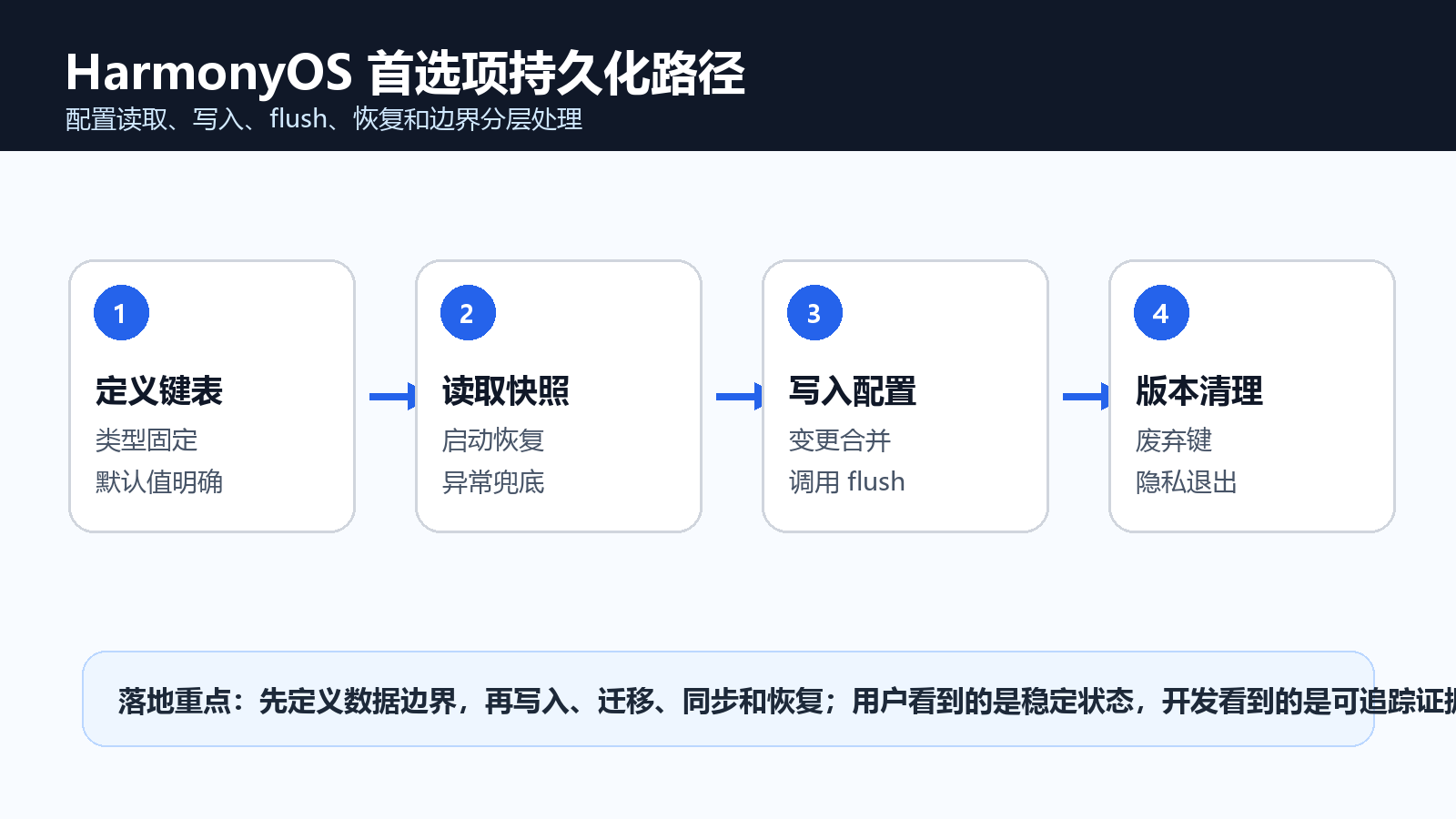
首选项数据通常不起眼:主题、字号、是否开启推送、最近一次引导版本、用户选择的默认地图类型。问题在于这些数据一旦写乱,用户看到的就是设置丢失、重启后恢复默认、退出登录后仍保留旧账号偏好。Preferences 适合保存轻量键值,但它不是万能数据库。本文把首选项治理拆成键表、读取快照、写入确认、版本迁移和隐私清理五个部分。
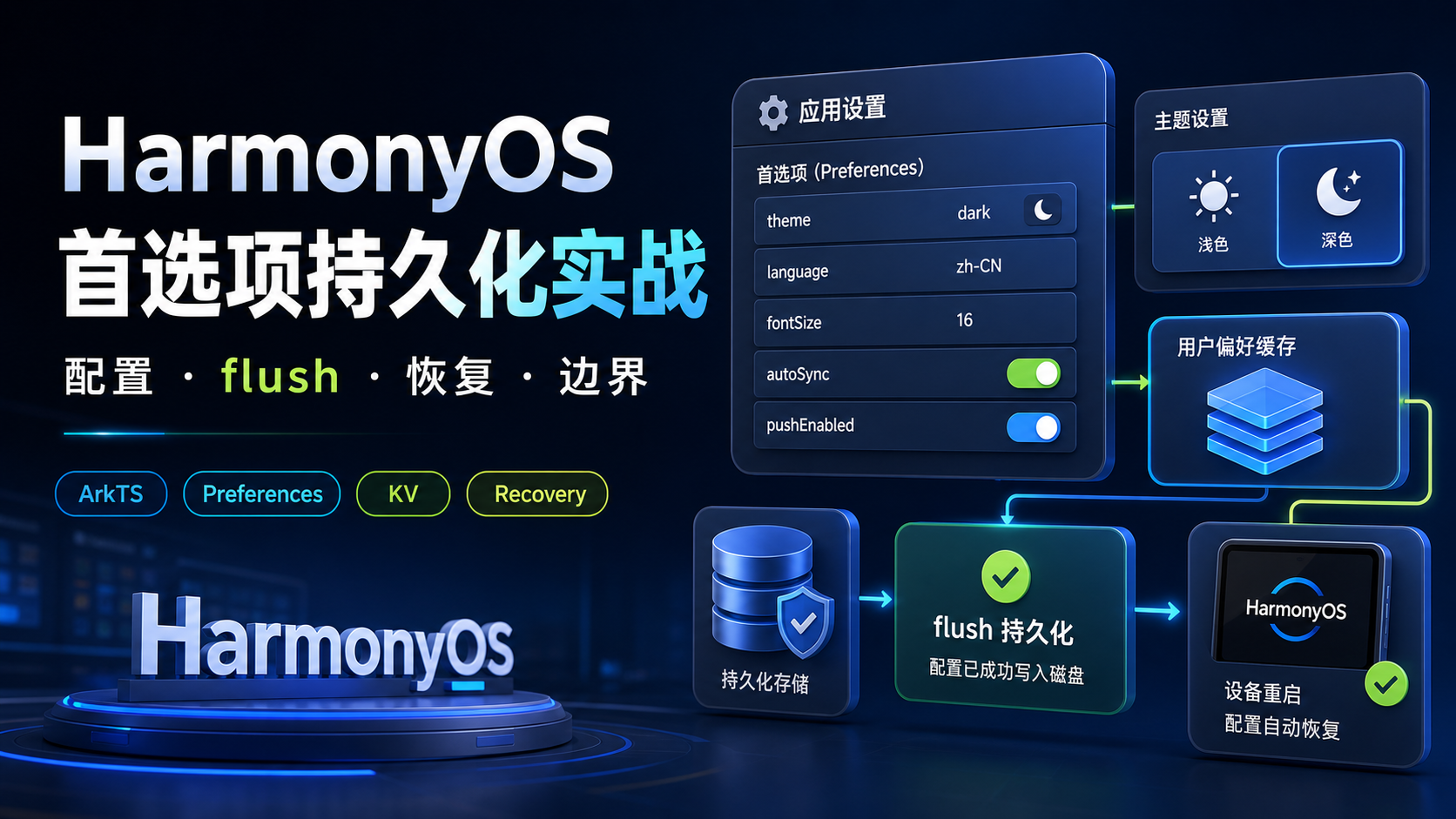
本文解决四件事:
- 哪些数据适合放 Preferences,哪些不应该放。
- 如何定义稳定键名、默认值和类型边界。
- 写入后为什么要明确
flush,以及失败后怎么恢复。 - 版本升级、退出登录和隐私撤销时怎么清理旧配置。
1. 首选项先限定数据范围
Preferences 适合保存体量小、结构简单、业务可重建的配置,不适合保存订单、聊天记录、轨迹点、复杂列表和敏感凭据。只要一个字段需要复杂查询、分页、索引或事务,就应该考虑 RDB 或其他数据方案。
| 数据 | 是否适合 | 原因 |
|---|---|---|
| 深色模式开关 | 适合 | 单个布尔值,恢复成本低 |
| 字号等级 | 适合 | 小整数,页面启动时读取 |
| 首次引导版本 | 适合 | 字符串或数字,业务简单 |
| 订单列表 | 不适合 | 需要查询、分页和状态更新 |
| 登录 Token | 不建议 | 涉及敏感凭据和安全策略 |
首选项治理的第一步不是写代码,而是把“可放”和“不可放”说清楚。这样后续功能接入时,开发同学不会把所有本地数据都塞进同一个文件。
2. Preferences 资料边界和工程目录
HarmonyOS 的 Preferences 提供键值型数据持久化能力,适合保存应用配置和少量状态。工程上建议把键名、读写和迁移拆开,避免页面直接写字符串键。
| 资料入口 | 工程落点 |
|---|---|
| 用户首选项概述 | 选择轻量键值存储的边界 |
| Preferences API 参考 | 获取实例、读写键值、持久化写入 |
| 数据持久化方案选择 | 区分 Preferences、RDB、文件等方案 |
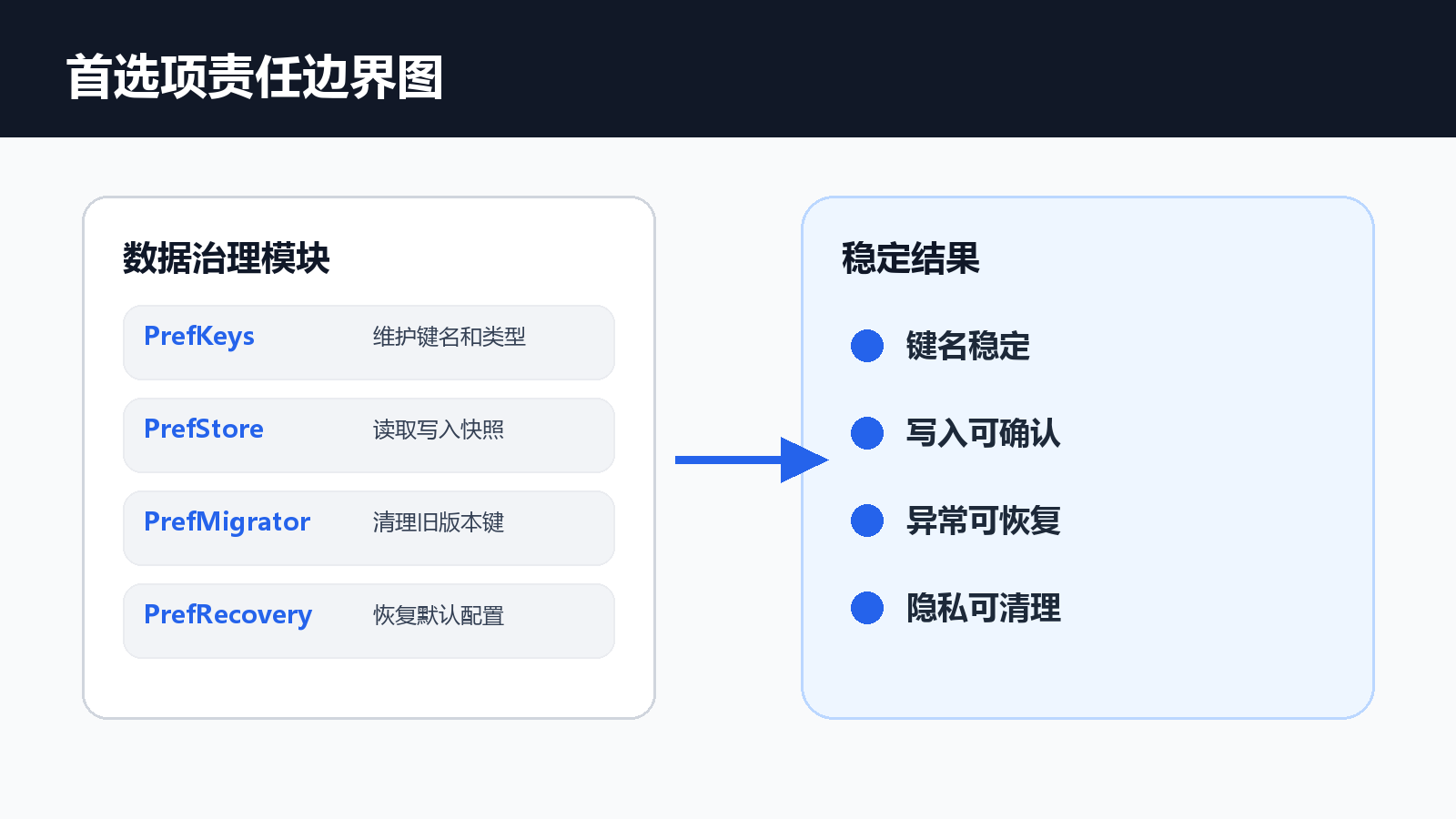
建议目录:
entry/src/main/ets/
  common/prefs/PrefKeys.ets
  common/prefs/PrefStore.ets
  common/prefs/PrefMigrator.ets
  common/prefs/PrefRecovery.ets
  pages/settings/SettingsPage.ets
页面只调用 PrefStore,不直接操作键名。这样改键、迁移和清理时不会全项目搜索字符串。
3. PrefKeys 统一管理键名和默认值
首选项最常见的错误是键名散落在页面里。写入用 theme_mode,读取用 themeMode,重启后就像设置丢失。统一键表可以防止这类低级问题。
export type ThemeMode = 'system' | 'light' | 'dark'

export interface AppPreferenceSnapshot {
  theme: ThemeMode
  fontScale: number
  pushEnabled: boolean
  guideVersion: number
}

export const PrefKeys = {
  theme: 'app.theme',
  fontScale: 'app.fontScale',
  pushEnabled: 'app.pushEnabled',
  guideVersion: 'app.guideVersion'
} as const

export const DefaultPrefs: AppPreferenceSnapshot = {
  theme: 'system',
  fontScale: 1,
  pushEnabled: true,
  guideVersion: 0
}
这段代码的作用是给首选项定契约。后面读写都围绕这个快照,不让页面自己拼键名。
4. PrefStore 读取快照时要兜底
本地数据可能缺失、类型不对或来自旧版本。读取时不能直接相信存储值,要逐项做类型转换和默认值兜底。
interface KeyValueSource {
  get(key: string, defaultValue: string | number | boolean): Promise<string | number | boolean>
  put(key: string, value: string | number | boolean): Promise<void>
  flush(): Promise<void>
}

export class PrefStore {
  constructor(private readonly source: KeyValueSource) {}

  async readSnapshot(): Promise<AppPreferenceSnapshot> {
    const theme = await this.source.get(PrefKeys.theme, DefaultPrefs.theme)
    const fontScale = await this.source.get(PrefKeys.fontScale, DefaultPrefs.fontScale)
    const pushEnabled = await this.source.get(PrefKeys.pushEnabled, DefaultPrefs.pushEnabled)
    const guideVersion = await this.source.get(PrefKeys.guideVersion, DefaultPrefs.guideVersion)
    return {
      theme: this.normalizeTheme(theme),
      fontScale: typeof fontScale === 'number' ? Math.min(Math.max(fontScale, 0.8), 1.4) : 1,
      pushEnabled: typeof pushEnabled === 'boolean' ? pushEnabled : true,
      guideVersion: typeof guideVersion === 'number' ? guideVersion : 0
    }
  }

  private normalizeTheme(value: string | number | boolean): ThemeMode {
    return value === 'light' || value === 'dark' || value === 'system' ? value : 'system'
  }
}
读取快照时兜底,能避免升级后页面崩溃。用户最多看到默认配置,不应该因为一个旧键导致设置页打不开。
5. 写入配置必须有确认动作
设置页通常会在开关点击后立即更新 UI,但持久化写入仍可能失败。建议先更新页面临时态,再写入存储并调用 flush,失败时给出回退提示。
export class PreferenceWriter {
  constructor(private readonly store: PrefStore, private readonly source: KeyValueSource) {}

  async updateTheme(theme: ThemeMode): Promise<AppPreferenceSnapshot> {
    await this.source.put(PrefKeys.theme, theme)
    await this.source.flush()
    return this.store.readSnapshot()
  }

  async updatePushEnabled(enabled: boolean): Promise<AppPreferenceSnapshot> {
    await this.source.put(PrefKeys.pushEnabled, enabled)
    await this.source.flush()
    return this.store.readSnapshot()
  }
}
flush 是用户体验的分界点。用户点了开关后,如果没有持久化确认,重启应用恢复旧值会非常影响信任。
6. PrefMigrator 清理旧版本键
业务升级时会废弃旧键,例如 isDarkMode 改成 app.theme。迁移逻辑要集中处理,不能让页面兼容多年历史键。
export interface PrefMigrationResult {
  changed: boolean
  notes: string[]
}

export class PrefMigrator {
  async migrate(source: KeyValueSource): Promise<PrefMigrationResult> {
    const notes: string[] = []
    const oldDark = await source.get('isDarkMode', '')
    if (typeof oldDark === 'boolean') {
      await source.put(PrefKeys.theme, oldDark ? 'dark' : 'light')
      notes.push('已将 isDarkMode 迁移为 app.theme')
    }
    await source.put('prefs.schemaVersion', 2)
    await source.flush()
    return { changed: notes.length > 0, notes }
  }
}
迁移记录要可读。测试同学看到 notes 就能确认升级路径是否执行过。
7. 隐私退出时清理账号维度配置
有些配置是应用级,有些配置是账号级。退出登录时不应清理主题,但应该清理账号专属开关、最近访问和个性化推荐状态。
export class PrefPrivacyCleaner {
  private readonly accountKeys = ['user.lastRoute', 'user.recommendTag', 'user.lastSyncAt']

  async clearAccountPrefs(source: KeyValueSource): Promise<void> {
    for (const key of this.accountKeys) {
      await source.put(key, '')
    }
    await source.flush()
  }
}
账号维度键建议统一前缀,例如 user.。这样退出登录、注销账号和隐私撤销时都能准确清理。
8. 页面状态只展示最终快照
设置页不要到处读单个键,而是读取快照后渲染。这样后续新增配置时,页面逻辑仍然稳定。
export interface SettingsViewState {
  themeLabel: string
  fontScaleLabel: string
  pushLabel: string
}

export function buildSettingsView(snapshot: AppPreferenceSnapshot): SettingsViewState {
  const themeMap: Record<ThemeMode, string> = {
    system: '跟随系统',
    light: '浅色模式',
    dark: '深色模式'
  }
  return {
    themeLabel: themeMap[snapshot.theme],
    fontScaleLabel: `${Math.round(snapshot.fontScale * 100)}%`,
    pushLabel: snapshot.pushEnabled ? '已开启' : '已关闭'
  }
}
页面关注展示,不关心键名和迁移。这个边界能让设置页更容易维护。
9. 首选项验收动作
| 场景 | 操作 | 预期结果 |
|---|---|---|
| 首次安装 | 打开设置页 | 读取默认配置,不报错 |
| 修改主题 | 切换深色模式并重启应用 | 主题仍保持深色 |
| 旧版本升级 | 写入旧键 isDarkMode 后启动 |
自动迁移到新键 |
| 退出登录 | 清理账号维度配置 | 应用级主题保留,账号数据清空 |
| 异常值 | 手动写入非法字号 | 读取时限制到安全范围 |
可以加入一个配置断言:
export function assertPrefSnapshot(snapshot: AppPreferenceSnapshot): void {
  if (snapshot.fontScale < 0.8 || snapshot.fontScale > 1.4) {
    throw new Error('字号缩放超出允许范围')
  }
  if (!['system', 'light', 'dark'].includes(snapshot.theme)) {
    throw new Error('主题模式不合法')
  }
}
这个断言适合放在设置页调试入口或自动化用例里,防止非法配置进入页面。
10. 首选项异常排查表
首选项问题排查要先区分“没有写进去”和“写进去了但读错了”。前者通常和 flush、异常捕获有关,后者更多是键名不一致、类型转换不完整或旧版本迁移遗漏。建议在设置页调试入口展示当前快照和最近一次写入结果,不要让测试只能通过肉眼判断页面状态。
| 现象 | 优先查看 | 处理建议 |
|---|---|---|
| 重启后设置丢失 | 是否调用 flush |
写入后必须持久化确认 |
| 升级后设置页异常 | 旧键和类型转换 | 增加迁移和默认值兜底 |
| 退出后仍有旧账号偏好 | 账号维度键前缀 | 统一账号配置清理入口 |
| 多页面显示不一致 | 是否读取同一快照 | 页面不要直接读散落键 |
| 字段越存越多 | 版本迁移记录 | 废弃键集中清理 |
如果一个问题只能在覆盖升级后复现,就不要用重装应用来验证。重装会创建全新的 Preferences 文件,很多旧键、旧类型和迁移遗漏都会被掩盖。
首选项恢复复现场景:给读者一组可执行核验
Preferences 文章要验证写入、flush、重启恢复和默认值。只看当前页面读到值,不能证明持久化可靠。
| 核验维度 | 读者需要准备的证据 |
|---|---|
| 输入 | 页面入口、用户动作、关键参数 |
| 过程 | 日志、状态变化、异常分支 |
| 输出 | UI 表现、回调结果、持久化结果 |
| 回归 | 同场景重复执行后的结果 |
interface PreferenceReplayCase {
  key: any
  writtenValue: any
  flushed: any
  recoveredValue: any
}

const replay79: PreferenceReplayCase = {
  key: 'sample',
  writtenValue: 'sample',
  flushed: 'sample',
  recoveredValue: 'sample',
}

function assertReplay79(item: PreferenceReplayCase): void {
  if (!item.flushed) throw new Error('首选项写入后未确认 flush')
}
这组核验把首选项写入和重启恢复放到一起,能证明配置不是只在当前内存里生效。
11. 小结:Preferences 要小而稳
首选项持久化的关键不是存得多,而是边界清楚、键名稳定、写入可确认、异常可恢复。Preferences 适合轻量配置,复杂数据要交给更合适的数据方案。把键表、快照、写入、迁移、清理拆开以后,设置页就不会因为一个旧键或一次失败写入变得不可控。

讨论HarmonyOS开发技术,专注于API与组件、DevEco Studio、测试、元服务和应用上架分发等。
更多推荐
 4
4 0
0- 0


 已为社区贡献121条内容

所有评论(0)