使用HdsNavigation实现内容滑动,顶部模糊效果
·
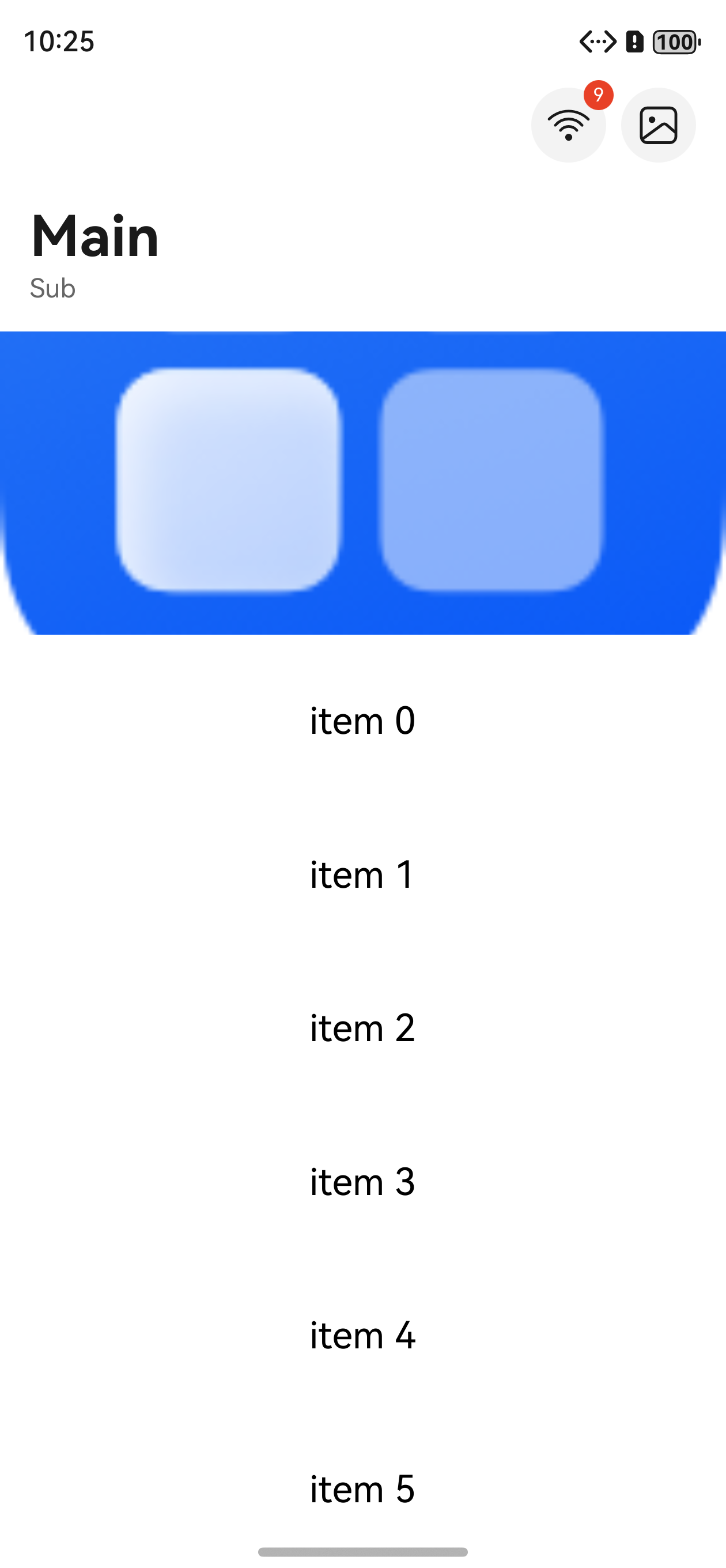
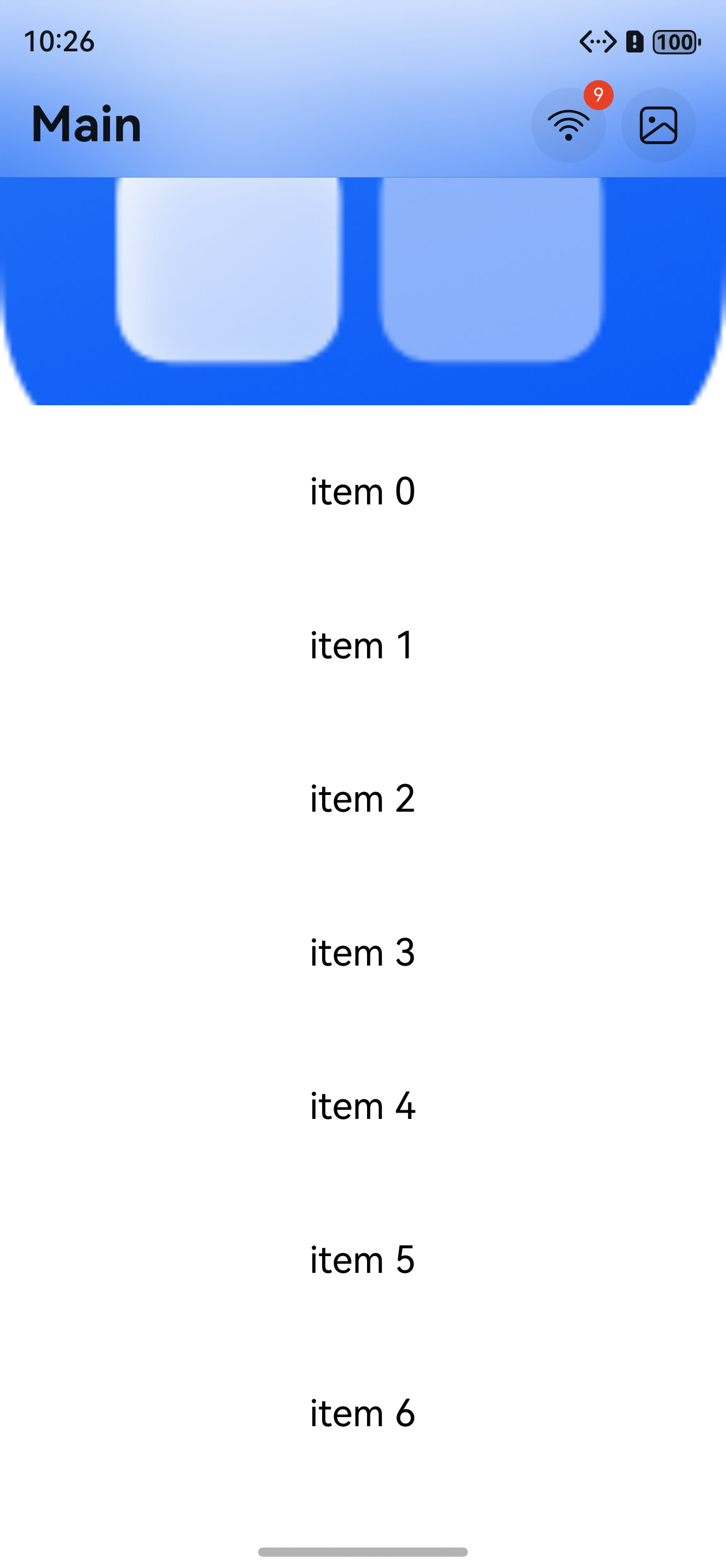
在大多数app中,会有这样的效果,顶部标题,中间图片,下面列表或者下方内容客户滑动。当底部内容滑动的时候,顶部标题栏会模糊效果。针对这种效果,鸿蒙提供了专有的api实现。下面介绍一下使用效果
import { HdsNavigation, HdsNavigationAttribute, HdsNavigationTitleMode, ScrollEffectType } from '@kit.UIDesignKit';
import { ComponentContent, LengthMetrics, Prompt } from '@kit.ArkUI';
import { BusinessError } from '@kit.BasicServicesKit';

/**
 * 通过组件导航将标题栏设置动态模糊样式
 */

@Builder
function menuComponent() {
  Menu() {
    MenuItem({ content: "copy" }).onClick(() => {
      Prompt.showToast({ message: 'on click' })
    })
    MenuItem({ content: "paste" }).enabled(false)
  }
  .width(224).menuItemDivider({ strokeWidth: LengthMetrics.px(1), color: $r('sys.color.comp_divider') })
}

@Entry
@Component
struct TestDesign {
  @State arr: number[] = [];
  @State targetId: string = 'bindMenu'

  aboutToAppear(): void {
    for (let index = 0; index < 40; index++) {
      this.arr.push(index);
    }
  }
  @Builder
  StackBuilder() {
    Column() {
      Button("HdsNavigation")
    }
    .height(56)
    .justifyContent(FlexAlign.Center)
  }

  @Builder
  BottomBuilder() {
    Column() {
      Search()
    }
    .width('100%')
    .height(56)
  }

  @Styles
  listCard() {
    .backgroundColor(Color.White)
    .height(72)
    .width('calc(100% - 20vp)')
    .borderRadius(12)
    .margin({ left: 10, right: 10 })
  }

  build() {
    HdsNavigation() { // 创建HdsNavigation组件
      // HdsNavigation组件内容区
      Scroll() {
        Column({ space: 10 }) {
          Image($r('app.media.startIcon'))
            .width('100%')
            .height(300)
          List({ space: 10 }) {
            ForEach(this.arr, (item: number) => {
              ListItem() {
                Text("item " + item)
                  .fontSize(20)
                  .fontColor(Color.Black)
              }.listCard()

            }, (item: number) => item.toString())
          }
          .padding({ bottom: 30 })
          .edgeEffect(EdgeEffect.Spring)
        }
        .width('100%')
      }
    }
    // .titleMode(HdsNavigationTitleMode.FULL)
    .titleBar({
      style: {
        // 设置导航组件标题栏样式
        // 标题栏动态模糊样式,包括是否使能滚动动态模糊,动态模糊类型,动态模糊生效的滚动距离等
        scrollEffectOpts: {
          enableScrollEffect: true,
          scrollEffectType: ScrollEffectType.COMMON_BLUR,
          blurEffectiveStartOffset: LengthMetrics.vp(0),
          blurEffectiveEndOffset: LengthMetrics.vp(20)
        },
        originalStyle: {
          // 内容区滚动前初始样式设置
          backgroundStyle: {
            // 标题栏背板样式设置
            backgroundColor: $r('sys.color.ohos_id_color_background'),
          },
          contentStyle: {
            // 标题栏内容区样式设置,包括标题区域,菜单区域,返回按钮区域
            titleStyle: {
              mainTitleColor: $r('sys.color.font_primary'),
              subTitleColor: $r('sys.color.font_secondary')
            },
            menuStyle: {
              backgroundColor: $r('sys.color.comp_background_tertiary'),
              iconColor: $r('sys.color.icon_primary')
            },
            backIconStyle: {
              backgroundColor: $r('sys.color.comp_background_tertiary'),
              iconColor: $r('sys.color.icon_primary')
            }
          }
        },
        scrollEffectStyle: {
          // 内容区滚动超过blurEffectiveEndOffset后样式设置
          backgroundStyle: {
            backgroundColor: $r('sys.color.ohos_id_color_background_transparent'),
          },
          contentStyle: {
            titleStyle: {
              mainTitleColor: $r('sys.color.font_primary'),
              subTitleColor: $r('sys.color.font_secondary')
            },
            menuStyle: {
              backgroundColor: $r('sys.color.comp_background_tertiary'),
              iconColor: $r('sys.color.icon_primary')
            },
            backIconStyle: {
              backgroundColor: $r('sys.color.comp_background_tertiary'),
              iconColor: $r('sys.color.icon_primary')
            }
          }
        }
      },
      content: {
        // 标题栏内容设置
        title: { mainTitle: 'Main', subTitle: 'Sub' },
        menu: {
          value: [
            {
              content: {
                label: 'menu1',
                icon: $r('sys.symbol.ohos_wifi'),
                isEnabled: true,
                action: () => {
                  let uiContext = this.getUIContext();
                  let promptAction = uiContext.getPromptAction();
                  let contentNode = new ComponentContent(uiContext, wrapBuilder(menuComponent))
                  try {
                    promptAction.openMenu(
                      contentNode,
                      { id: this.targetId },
                      { backgroundColor: Color.Yellow })
                  } catch (error) {
                    let message = (error as BusinessError).message;
                    let code = (error as BusinessError).code;
                    console.error(`openMenu args error code is ${code}, message is ${message}`);
                  }
                  console.info("model cancel");
                }
              },
              badge: {
                count: 9
              }
            }, {
              content: {
                label: 'menu2',
                icon: $r('sys.symbol.ohos_photo'),
              }
            }
          ]
        }
      }
    })
  }
}
效果如下:
参考链接:
https://developer.huawei.com/consumer/cn/doc/harmonyos-references/ui-design-hdsnavigation
api要求起始版本:5.1.0(18)

讨论HarmonyOS开发技术,专注于API与组件、DevEco Studio、测试、元服务和应用上架分发等。
更多推荐

 0
0 0
0- 0


 已为社区贡献20条内容

所有评论(0)