HarmonyOS律愈实战07:HealCanvas五音粒子动画
HarmonyOS Canvas 实战:根据五音生成疗愈粒子动画
1. 动画要解决什么问题
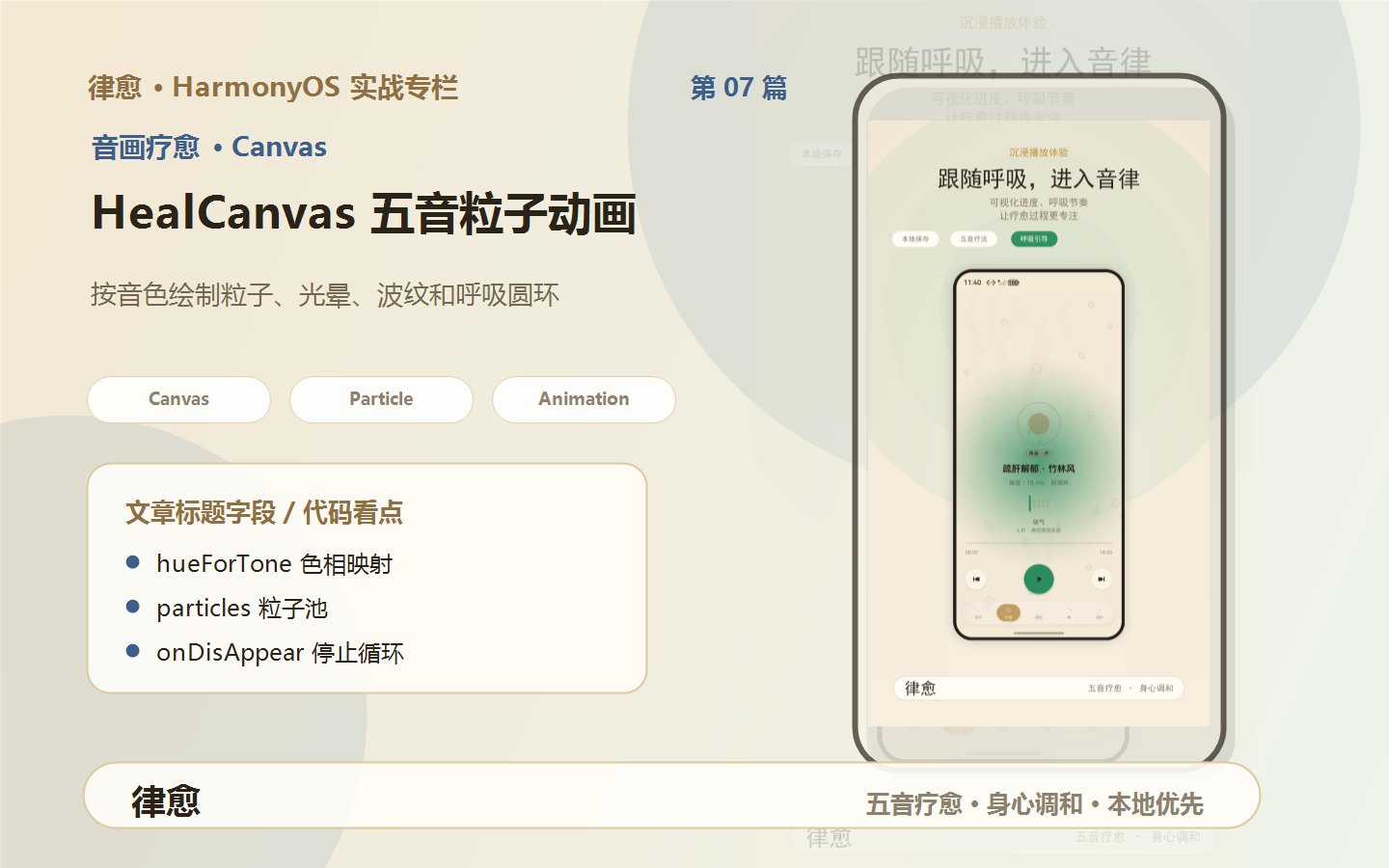
疗愈类 App 如果只有按钮和列表,很难形成沉浸感。“律愈”的做法是在疗愈页加入 Canvas 动画:不同五音对应不同色相、粒子数量和呼吸圆环,让音频播放有视觉反馈。
2. 组件接口
HealCanvas 接收两个参数:
@Component
export struct HealCanvas {
  @Prop @Watch('onToneChanged') toneKey: ToneKey = 'gong';
  @Prop animate: boolean = true;
}
toneKey:当前五音。animate:是否播放动画。
当音色变化时,组件会重新生成粒子:
onToneChanged(): void {
  this.reseedParticles();
}
3. 粒子模型
每个粒子记录位置、速度、透明度、色相等信息:
interface Particle {
  x: number;
  y: number;
  size: number;
  speedX: number;
  speedY: number;
  opacity: number;
  hue: number;
  isWave: boolean;
}
isWave 用于决定是否绘制扩散波纹。
4. 五音映射到色相
项目用 hueForTone() 把五音映射到 HSL 色相:
function hueForTone(tone: ToneKey): number {
  switch (tone) {
    case 'jiao':
      return 140;
    case 'zhi':
      return 15;
    case 'gong':
      return 38;
    case 'shang':
      return 220;
    case 'yu':
      return 210;
    default:
      return 38;
  }
}
这种写法的好处是,绘制粒子时可以用 HSL 轻松做同色系变化:
fillStyle = `hsla(${p.hue},60%,70%,${p.opacity})`;
5. 根据音色重新播种粒子
不同音色的粒子数量不同:
private reseedParticles(): void {
  if (this.wPx <= 0 || this.hPx <= 0) {
    return;
  }
  const meta = wuYinMetaOf(this.toneKey);
  const count =
    meta.key === 'yu' ? 120 :
    meta.key === 'zhi' ? 100 :
    meta.key === 'jiao' ? 80 :
    meta.key === 'shang' ? 70 : 60;

  const list: Particle[] = [];
  const hue = hueForTone(this.toneKey);
  for (let i = 0; i < count; i++) {
    list.push({
      x: Math.random() * this.wPx,
      y: Math.random() * this.hPx,
      size: Math.random() * 2.5 + 1,
      speedX: (Math.random() - 0.5) * 0.5,
      speedY: -Math.random() * 0.8 - 0.2,
      opacity: Math.random() * 0.5 + 0.1,
      hue: hue + (Math.random() * 10 - 5),
      isWave: Math.random() > 0.72
    });
  }
  this.particles = list;
}
这里不是所有音色都画同样粒子,而是让视觉强弱跟音色有关。
6. 动画循环
动画使用定时器:
private startLoop(): void {
  this.stopLoop();
  if (!this.animate) {
    return;
  }
  this.timerId = setInterval((): void => {
    this.drawFrame();
  }, 36) as number;
}
36ms 大约是 27 FPS,适合背景氛围动画。如果追求更细腻,可以调小间隔;如果担心功耗,可以调大间隔。
7. 绘制一帧
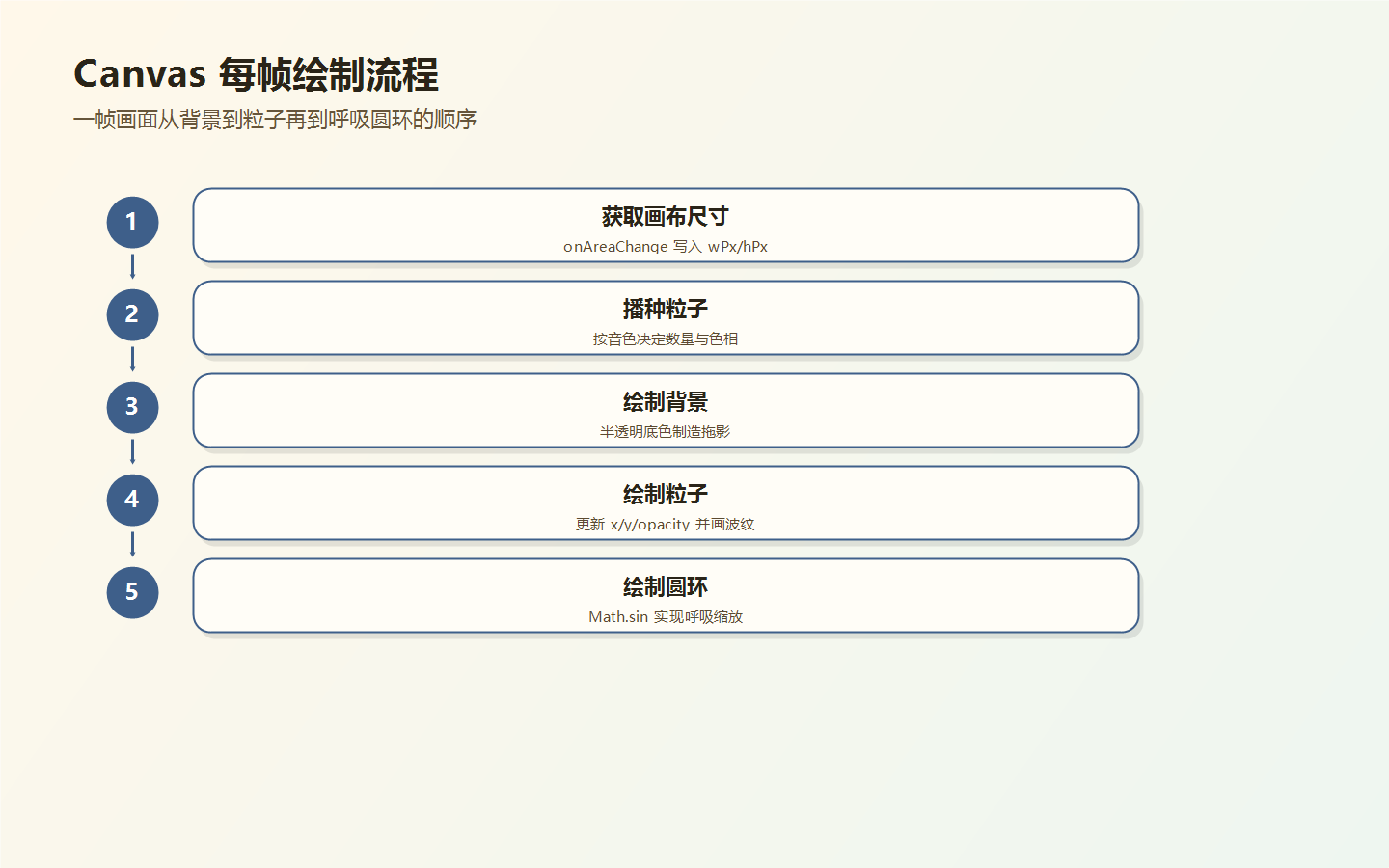
每帧绘制分三步:
- 半透明底色覆盖。
- 径向渐变营造光晕。
- 更新并绘制粒子和呼吸圆环。
private drawFrame(): void {
  const ctx = this.ctx;
  const meta = wuYinMetaOf(this.toneKey);
  ctx.fillStyle = 'rgba(245,234,214,0.18)';
  ctx.fillRect(0, 0, this.wPx, this.hPx);

  const grad = ctx.createRadialGradient(
    this.wPx / 2,
    this.hPx / 2,
    0,
    this.wPx / 2,
    this.hPx / 2,
    this.wPx * 0.72
  );
  grad.addColorStop(0, meta.glow);
  grad.addColorStop(1, 'rgba(245,234,214,0)');
  ctx.fillStyle = grad;
  ctx.fillRect(0, 0, this.wPx, this.hPx);
}
呼吸圆环通过正弦函数实现缩放:
const breathe = Math.sin(now * 0.0008) * 0.15 + 1;
ctx.arc(cx, cy, radius * breathe, 0, Math.PI * 2);
8. 生命周期处理
Canvas 组件必须处理尺寸变化和消失:
Canvas(this.ctx)
  .width('100%')
  .height('100%')
  .onReady(() => {
    this.reseedParticles();
  })
  .onDisAppear(() => {
    this.stopLoop();
  })
  .onAreaChange((oldVal: Area, newVal: Area) => {
    this.wPx = Number(newVal.width);
    this.hPx = Number(newVal.height);
    if (this.wPx > 0 && this.hPx > 0) {
      this.reseedParticles();
      if (this.timerId < 0 && this.animate) {
        this.startLoop();
      }
    }
  });
onDisAppear() 停止定时器非常关键,否则页面切换后动画仍可能在后台跑。
9. 动画流程图
10. 小结
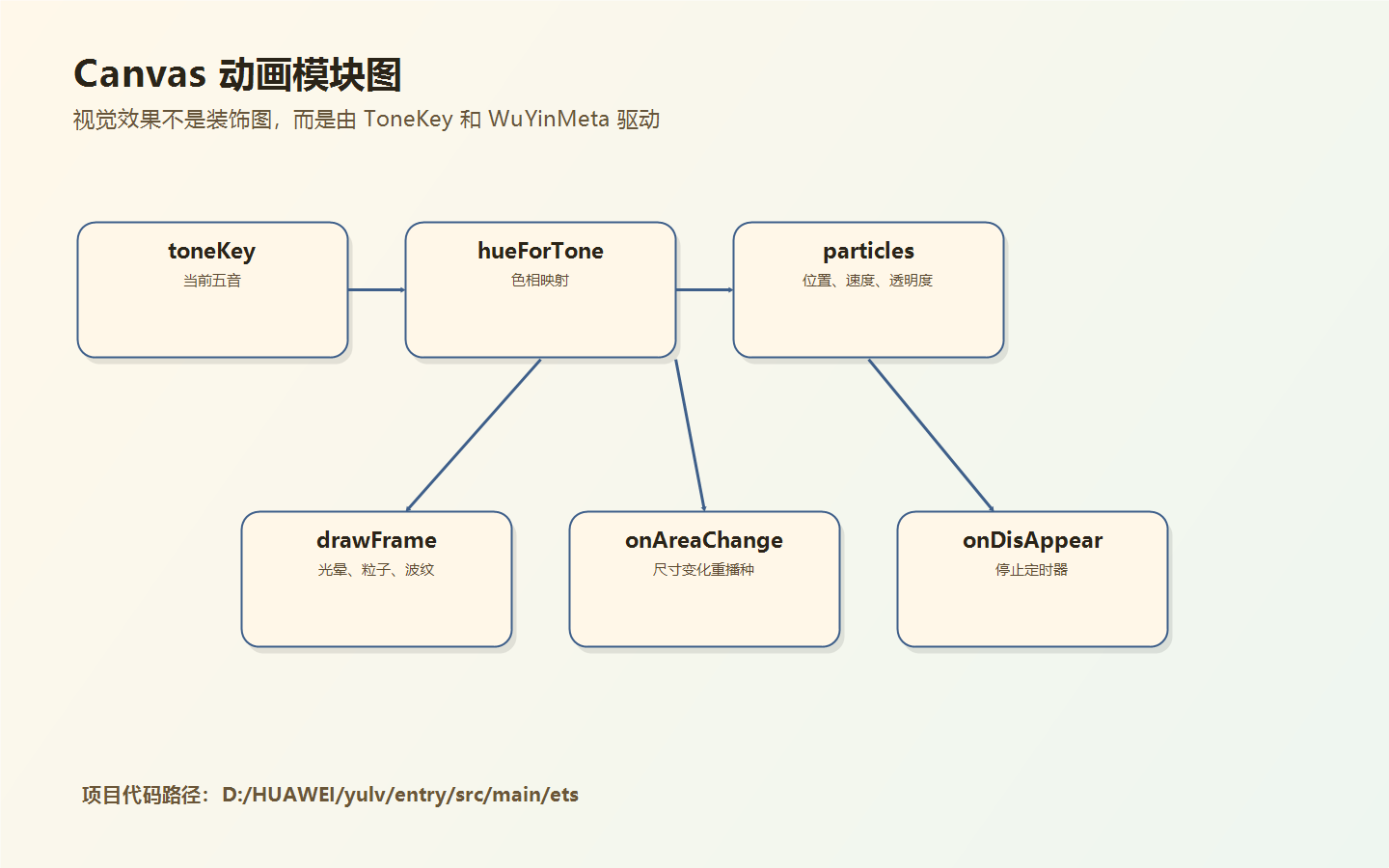
这个 Canvas 组件的价值在于:它没有把动画写成装饰,而是和五音数据模型联动。音色变化会影响颜色、光晕、粒子密度和文字展示。
如果你正在做 HarmonyOS 应用,Canvas 不一定只用于游戏。像音乐、冥想、运动、阅读这类产品,也可以用轻量 Canvas 背景提升沉浸感。
9. 粒子动画为什么使用半透明覆盖
drawFrame() 每帧没有完全清屏,而是用半透明背景覆盖:
s ctx.fillStyle = 'rgba(245,234,214,0.18)'; ctx.fillRect(0, 0, this.wPx, this.hPx);
这会留下轻微拖影,让粒子运动更柔和。疗愈类场景不适合太硬的运动轨迹,半透明覆盖正好能制造缓慢扩散的感觉。
10. 色彩来自五音元数据
画布光晕读取 meta.glow:
s const meta = wuYinMetaOf(this.toneKey); const grad = ctx.createRadialGradient( this.wPx / 2, this.hPx / 2, 0, this.wPx / 2, this.hPx / 2, this.wPx * 0.72 ); grad.addColorStop(0, meta.glow); grad.addColorStop(1, 'rgba(245,234,214,0)');
这说明视觉主题不是写死在 Canvas 里,而是从数据模型继承。以后改某个音色的主色,首页、卡片、Canvas 都能同步调整。
11. 粒子越界回收
粒子向上飘出画布后,不删除重建,而是移动到底部:
s if (p.y < -20) { p.y = this.hPx + 20; p.x = Math.random() * this.wPx; }
这种复用比频繁创建对象更稳定,适合长时间播放的背景动画。
12. Canvas 生命周期清理
组件消失时停止循环:
s .onDisAppear(() => { this.stopLoop(); })
这段看起来不起眼,但非常关键。疗愈页切到其他 Tab 后,如果定时器继续跑,会浪费资源,也可能造成页面状态异常。
13. 性能优化建议
- 粒子数量根据设备档位调整
- 后台或页面不可见时停止动画
- 避免每帧创建大量对象
- 文字绘制可以降低频率或拆出静态层
- 帧率不必追求 60 FPS,氛围动画 24-30 FPS 足够

讨论HarmonyOS开发技术,专注于API与组件、DevEco Studio、测试、元服务和应用上架分发等。
更多推荐

 4
4 0
0- 0


 已为社区贡献17条内容

所有评论(0)