Java + 鸿蒙双引擎驱动:ZKmall 开源商城定义 B2C 技术新标准实践
在电商技术快速迭代的今天,传统 B2C 商城架构面临着跨端体验不一致、性能瓶颈明显、智能化程度不足等挑战。ZKmall 开源商城创新性地采用 Java 后端与鸿蒙前端双引擎架构,通过技术融合与架构创新,重新定义了下一代 B2C 商城的技术标准。本文将以程序员视角,深入解析 ZKmall 的技术架构设计、核心功能实现与性能优化策略,通过具体代码示例展示如何借助 Java 的稳定性与鸿蒙的跨端优势,构建高性能、高可用、智能化的现代电商系统,为开发者提供开源商城技术升级的实践指南。
技术架构创新:双引擎驱动的商城技术底座
ZKmall 的技术架构突破了传统电商的单栈限制,构建了 Java 后端与鸿蒙前端深度融合的双引擎架构。这一架构不仅保留了 Java 在企业级应用开发中的稳定性与生态优势,还充分发挥了鸿蒙操作系统在跨设备协同、原生体验优化等方面的技术特性,形成了独具特色的技术竞争力。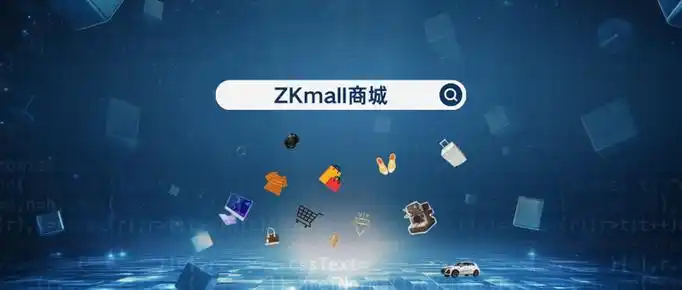
后端服务架构基于 Java 生态构建高可用服务集群:
// ZKmall后端核心架构初始化示例
@SpringBootApplication
@EnableDiscoveryClient
@EnableFeignClients
public class ZKmallApplication {
public static void main(String[] args) {
SpringApplication.run(ZKmallApplication.class, args);
}
// 核心配置类
@Configuration
public class ZKmallCoreConfig {
// 注册鸿蒙设备交互服务
@Bean
public HarmonyDeviceService harmonyDeviceService() {
return new HarmonyDeviceServiceImpl();
}
// 配置分布式事务管理器
@Bean
public GlobalTransactionScanner globalTransactionScanner() {
return new GlobalTransactionScanner("zkmall-service-group", "seata-server");
}
// 注册缓存管理器
@Bean
public CacheManager cacheManager(RedisConnectionFactory redisConnectionFactory) {
RedisCacheConfiguration config = RedisCacheConfiguration.defaultCacheConfig()
.entryTtl(Duration.ofMinutes(30))
.serializeKeysWith(RedisSerializationContext.SerializationPair
.fromSerializer(new StringRedisSerializer()))
.serializeValuesWith(RedisSerializationContext.SerializationPair
.fromSerializer(new GenericJackson2JsonRedisSerializer()));
// 针对不同业务设置不同缓存策略
Map<String, RedisCacheConfiguration> cacheConfigurations = new HashMap<>();
cacheConfigurations.put("productCache", config.entryTtl(Duration.ofHours(2)));
cacheConfigurations.put("userCache", config.entryTtl(Duration.ofHours(12)));
cacheConfigurations.put("orderCache", config.entryTtl(Duration.ofMinutes(10)));
return RedisCacheManager.builder(redisConnectionFactory)
.cacheDefaults(config)
.withInitialCacheConfigurations(cacheConfigurations)
.build();
}
}
}
// 服务层核心抽象
public interface ProductService {
// 获取商品详情,支持鸿蒙设备特殊处理
ProductDetailVO getProductDetail(Long productId, DeviceContext deviceContext);
// 分页查询商品,支持多维度筛选
PageResult<ProductVO> queryProducts(ProductQueryParam param, PageRequest pageRequest);
// 商品库存操作,支持分布式事务
@GlobalTransactional
boolean updateProductStock(List<StockOperation> operations);
// 商品搜索建议,集成AI能力
List<String> getSearchSuggestions(String keyword, String userId);
}
// 鸿蒙设备上下文处理
public class DeviceContext {
private String deviceId;
private String deviceType; // 手机、平板、智慧屏等
private String osVersion;
private Map<String, Object> deviceFeatures; // 设备特有功能
// 判断是否为鸿蒙设备
public booleanisHarmonyDevice() {
return "harmonyos".equalsIgnoreCase(osVersion) ||
deviceType.contains("harmony");
}
// 判断设备是否支持特定功能
public boolean supportFeature(String feature) {
return deviceFeatures != null && deviceFeatures.containsKey(feature) &&
Boolean.parseBoolean(deviceFeatures.get(feature).toString());
}
// getter和setter省略
}
鸿蒙前端架构实现跨设备一致体验:
// ZKmall鸿蒙前端架构核心配置
import { AbilityConstant, UIAbility, Want } from '@kit.AbilityKit';
import { WindowStageType } from '@kit.ArkUI';
import { GlobalModel } from '../model/GlobalModel';
import { DeviceService } from '../service/DeviceService';
import { MallService } from '../service/MallService';
export default class EntryAbility extends UIAbility {
onCreate(want: Want, launchParam: AbilityConstant.LaunchParam) {
// 初始化全局状态管理
GlobalModel.init();
// 初始化设备服务
DeviceService.init(this.context);
// 初始化商城服务,设置设备上下文
MallService.init({
deviceId: DeviceService.getDeviceId(),
deviceType: DeviceService.getDeviceType(),
osVersion: DeviceService.getOsVersion(),
deviceFeatures: DeviceService.getSupportedFeatures()
});
// 注册全局错误监听
this.registerGlobalErrorListener();
}
onWindowStageCreate(windowStage: WindowStageType) {
// 设置主页面路由
windowStage.loadContent('pages/Index', (err, data) => {
if (err) {
console.error('加载主页面失败:', err.message);
return;
}
// 根据设备类型调整UI
this.adjustUiForDeviceType(DeviceService.getDeviceType());
});
}
// 根据设备类型调整UI
private adjustUiForDeviceType(deviceType: string) {
const globalStyle = AppStorage.GetOrCreate<ResourceStr>('globalStyle', 'default');
switch(deviceType) {
case 'phone':
AppStorage.SetOrCreate('gridCount', 2);
AppStorage.SetOrCreate('itemSize', 180);
break;
case 'tablet':
AppStorage.SetOrCreate('gridCount', 3);
AppStorage.SetOrCreate('itemSize', 220);
break;
case 'smartDisplay':
AppStorage.SetOrCreate('gridCount', 4);
AppStorage.SetOrCreate('itemSize', 260);
AppStorage.SetOrCreate('globalStyle', 'large');
break;
default:
break;
}
}
// 注册全局错误监听
private registerGlobalErrorListener() {
AppStorage.SetOrCreate('onError', (error: Error) => {
console.error('全局错误:', error.message);
// 上报错误信息
MallService.reportError({
message: error.message,
stack: error.stack,
time: new Date().toISOString(),
page: AppStorage.Get('currentPage') || 'unknown'
});
});
}
}
双引擎架构的核心优势:
- 后端采用 Java 微服务架构,保障高并发场景下的稳定性
- 前端基于鸿蒙 ArkUI,实现多设备一致体验与原生性能
- 前后端通过统一设备上下文实现精准适配
- 双引擎协同优化数据传输与渲染效率
核心功能实现:技术标准的落地实践
ZKmall 开源商城通过创新的功能实现,将 Java 与鸿蒙的技术优势转化为实际的业务价值。从商品展示到订单处理,从用户体验到系统性能,每个功能模块都体现了下一代 B2C 商城的技术标准。
商品服务模块实现高效的商品管理与展示:
// 商品服务实现类
@Service
public class ProductServiceImpl implements ProductService {
@Autowired
private ProductMapper productMapper;
@Autowired
private ProductRedisRepository productRedisRepo;
@Autowired
private HarmonyDeviceService harmonyDeviceService;
@Autowired
private AiRecommendationService aiRecommendationService;
@Override
public ProductDetailVO getProductDetail(Long productId, DeviceContext deviceContext) {
// 1. 先从缓存获取
ProductDetailVO productDetail = productRedisRepo.getProductDetail(productId);
// 2. 缓存未命中则从数据库获取
if (productDetail == null) {
ProductDO product = productMapper.selectById(productId);
if (product == null) {
throw new BusinessException("商品不存在");
}
// 转换为VO对象
productDetail = convertToDetailVO(product);
// 加载商品图片
productDetail.setImages(productMapper.selectProductImages(productId));
// 加载商品规格
productDetail.setSpecs(productMapper.selectProductSpecs(productId));
// 缓存商品详情
productRedisRepo.cacheProductDetail(productDetail);
}
// 3. 如果是鸿蒙设备,添加设备适配信息
if (deviceContext != null && deviceContext.isHarmonyDevice()) {
// 添加鸿蒙特有功能支持标记
Map<String, Object> harmonyFeatures = new HashMap<>();
// 支持商品3D预览
harmonyFeatures.put("3dPreview", productDetail.getHas3dModel());
// 支持鸿蒙支付
harmonyFeatures.put("harmonyPay", true);
// 支持设备间商品共享
harmonyFeatures.put("deviceSharing", true);
productDetail.setExtendFeatures(harmonyFeatures);
}
return productDetail;
}
@Override
public PageResult<ProductVO> queryProducts(ProductQueryParam param, PageRequest pageRequest) {
// 1. 构建查询条件
LambdaQueryWrapper<ProductDO> queryWrapper = new LambdaQueryWrapper<>();
if (StringUtils.hasText(param.getKeyword())) {
queryWrapper.and(qw -> qw.like(ProductDO::getName, param.getKeyword())
.or().like(ProductDO::getDescription, param.getKeyword()));
}
if (param.getCategoryId() != null) {
queryWrapper.eq(ProductDO::getCategoryId, param.getCategoryId());
}
if (param.getMinPrice() != null) {
queryWrapper.ge(ProductDO::getPrice, param.getMinPrice());
}
if (param.getMaxPrice() != null) {
queryWrapper.le(ProductDO::getPrice, param.getMaxPrice());
}
// 2. 执行分页查询
IPage<ProductDO> productPage = productMapper.selectPage(
new Page<>(pageRequest.getPageNum(), pageRequest.getPageSize()),
queryWrapper
);
// 3. 转换为VO并返回
List<ProductVO> productVOs = productPage.getRecords().stream()
.map(this::convertToVO)
.collect(Collectors.toList());
return new PageResult<>(
productVOs,
productPage.getTotal(),
productPage.getSize(),
productPage.getCurrent(),
productPage.getPages()
);
}
// 其他方法实现省略...
}
鸿蒙前端商品页面实现跨设备自适应展示:
// 鸿蒙前端商品详情页
@Entry
@Component
struct ProductDetailPage {
@State product: ProductDetailVO = {} as ProductDetailVO;
@State loading: boolean = true;
@State selectedSpec: SpecItem = {} as SpecItem;
@State quantity: number = 1;
@State isHarmonyDevice: boolean = false;
private productId: string = '';
private deviceContext = MallService.getDeviceContext();
aboutToAppear() {
// 获取路由参数
this.productId = router.getParams()?.productId as string;
this.isHarmonyDevice = this.deviceContext.isHarmonyDevice;
// 加载商品详情
this.loadProductDetail();
}
// 加载商品详情
private async loadProductDetail() {
this.loading = true;
try {
const result = await MallService.getProductDetail(
this.productId,
this.deviceContext
);
this.product = result;
// 初始化默认规格
if (this.product.specs && this.product.specs.length > 0) {
this.selectedSpec = this.product.specs[0];
}
} catch (error) {
promptAction.showToast({
message: '加载商品失败: ' + (error as Error).message,
duration: 3000
});
console.error('加载商品详情失败:', error);
} finally {
this.loading = false;
}
}
// 添加到购物车
private async addToCart() {
if (!this.selectedSpec) {
promptAction.showToast({ message: '请选择商品规格' });
return;
}
try {
await MallService.addToCart({
productId: this.product.id,
specId: this.selectedSpec.id,
quantity: this.quantity
});
promptAction.showToast({ message: '添加成功' });
// 鸿蒙设备震动反馈
if (this.isHarmonyDevice) {
await deviceService.vibrate(100);
}
} catch (error) {
promptAction.showToast({
message: '添加失败: ' + (error as Error).message
});
}
}
// 立即购买
private async buyNow() {
// 类似添加购物车逻辑,跳转到结算页面
router.pushUrl({
url: '/pages/OrderConfirm',
params: {
productId: this.product.id,
specId: this.selectedSpec?.id,
quantity: this.quantity
}
});
}
build() {
Column() {
// 加载状态
if (this.loading) {
LoadingProgress()
.size({ width: 60, height: 60 })
.margin(20)
} else {
Scroll() {
Column() {
// 商品图片轮播
Swiper() {
ForEach(this.product.images, (image) => {
Image(image.url)
.width('100%')
.aspectRatio(1)
.objectFit(ImageFit.Cover)
})
}
.indicatorStyle({ selectedColor: '#ff4400' })
.height(300)
// 3D预览按钮(仅鸿蒙设备且有3D模型时显示)
if (this.isHarmonyDevice && this.product.extendFeatures?.3dPreview) {
Button('3D预览')
.style({ backgroundColor: '#007dff' })
.margin(10)
.onClick(() => {
// 调用鸿蒙3D预览能力
this.show3dPreview();
})
}
// 商品信息
Column() {
Text(this.product.name)
.fontSize(20)
.fontWeight(FontWeight.Bold)
.margin({ left: 15, top: 10 })
.textAlign(TextAlign.Start)
.width('100%')
Text('¥' + this.product.price.toFixed(2))
.fontSize(24)
.fontColor('#ff4400')
.margin({ left: 15, top: 5 })
.textAlign(TextAlign.Start)
.width('100%')
// 商品规格选择
if (this.product.specs && this.product.specs.length > 0) {
Text('选择规格:')
.fontSize(16)
.margin({ left: 15, top: 15 })
.textAlign(TextAlign.Start)
.width('100%')
Row() {
ForEach(this.product.specs, (spec) => {
Button(spec.name + ' ¥' + spec.price.toFixed(2))
.style({
backgroundColor: this.selectedSpec.id === spec.id ? '#ff4400' : '#f5f5f5',
fontColor: this.selectedSpec.id === spec.id ? '#ffffff' : '#333333'
})
.margin(5)
.onClick(() => {
this.selectedSpec = spec;
})
})
}
.margin({ left: 10 })
.wrap(true)
}
// 商品详情
Text('商品详情')
.fontSize(18)
.fontWeight(FontWeight.Bold)
.margin({ left: 15, top: 20 })
.textAlign(TextAlign.Start)
.width('100%')
Web({ src: this.product.detailUrl })
.width('100%')
.height(500)
}
}
}
}
// 底部操作栏
Row() {
Button('加入购物车')
.style({ backgroundColor: '#ff4400' })
.width('45%')
.height(50)
.margin(10)
.onClick(() => this.addTo</doubaocanvas>

讨论HarmonyOS开发技术,专注于API与组件、DevEco Studio、测试、元服务和应用上架分发等。
更多推荐
 4
4 0
0- 0


 已为社区贡献3条内容

所有评论(0)